Punch Clock: Clocking In From Your Pocket
Employees clock in from a widget, checked by location or Wi-Fi. Every punch runs through the business’s wage rules, so payroll gets hours both sides trust.
The problem
Hours are where trust breaks down
Hospitality wages depend on exact hours. Punches from a shared terminal or a manager’s memory meant corrections every payroll run.
- For employees: clock in on their phone, see what will be paid.
- For managers: punches they can trust, because they happened at the workplace.
- For payroll: hours that follow the agreement, fewer fixes.
The model
Three times for every shift
A punch isn’t a paid hour yet. Each shift keeps three sets of times, so nothing is overwritten.
The widget
One card, always one next step
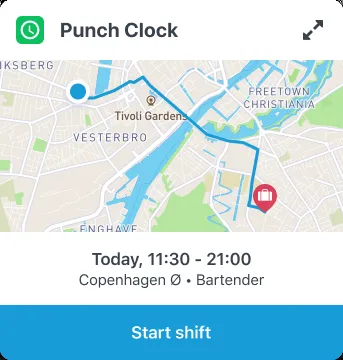
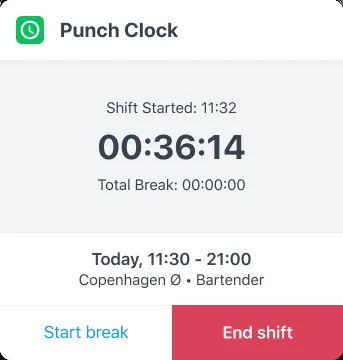
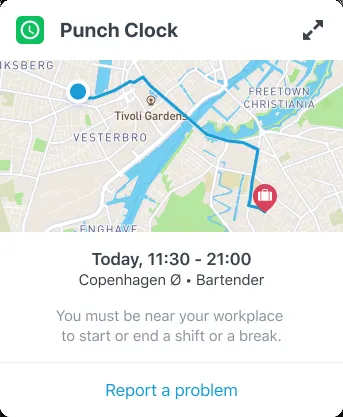
On the home screen, the card always shows the shift and the one action that moves it forward.
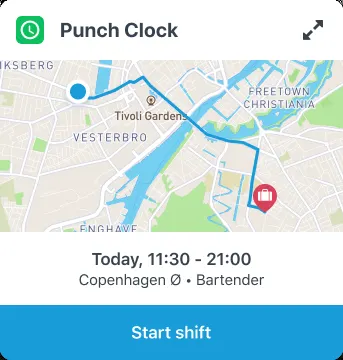
Ready
At work and on time: one big button.
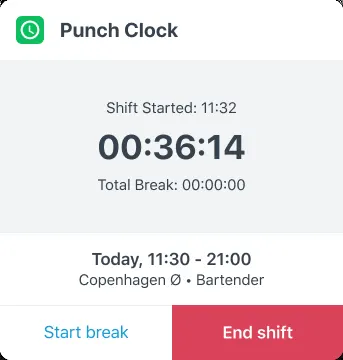
On shift
A running timer, with break and end side by side.
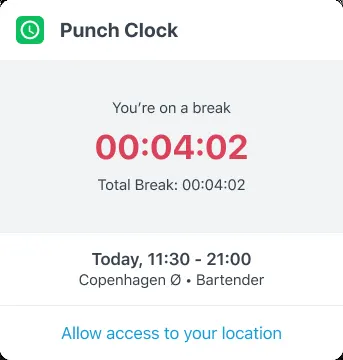
Something to fix
Location blocked? One tap to the right setting.
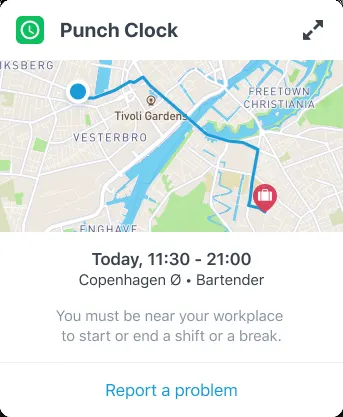
Not at work
No dead end: report a problem to the manager instead.
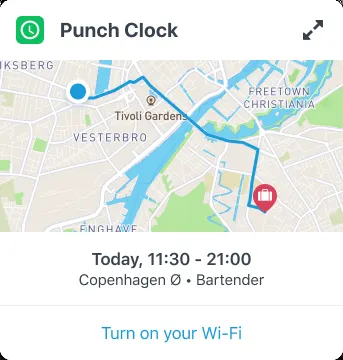
Wi-Fi check
For basements and malls, an approved network works too.
The flows
Designing for every “no”
The happy path is one tap. The work was everything else: location off, permission denied, weak GPS. I mapped every check for every action, so nobody hits a dead end.
“Start shift”
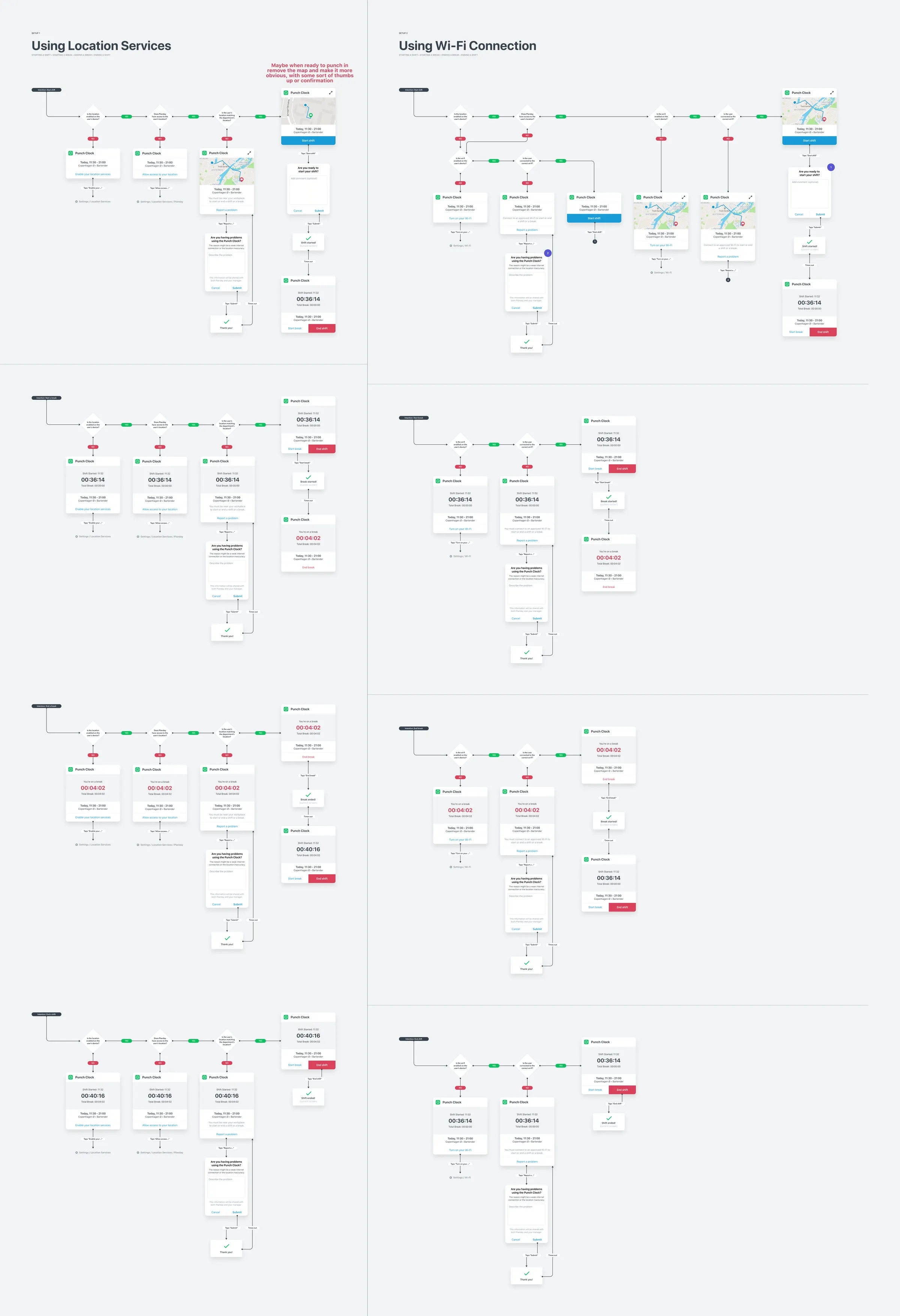
Eight flows, one pattern
Same checks, same order, one fix per failure. Quick to build, predictable to use.
Next idea: when close enough, hide the map and enlarge the button.
Review
Spot a mistake, request a change
Employees see what they punched and what will be paid. If something’s off, they request a change, and the manager approves it before payroll.
My hours Week 46
Request a change
Send requestLooking back
Small card, a lot of trust
Clocking in moved to every employee’s phone, and the path from punch to pay became visible. Lesson: on a feature this small, the edge cases are the product.
Thanks for reading!