Hej! Let's talk.

Product Design Lead in Copenhagen. Happy to chat about work, design or a good coffee spot.

Stefan Cioroiu's resume: Product Design Lead with over 10 years of experience, based in Copenhagen. Senior Product Designer at Veo Technologies, earlier Senior Product Designer at Novo Nordisk, Senior then Lead Product Designer at Planday, and Product Designer at Tradeshift, Founders and Zigna, starting as a UI and graphic designer at Me-Mover. Studied at KEA, Copenhagen School of Design and Technology.

5 min read Web and mobile · Prototyping · Usability research

Advanced Downloads: From Clips to One Video

Veo’s most upvoted idea: download my clips as one video. I turned it into one download flow, prototyped it, tested it with parents and coaches, and shaped the first release.
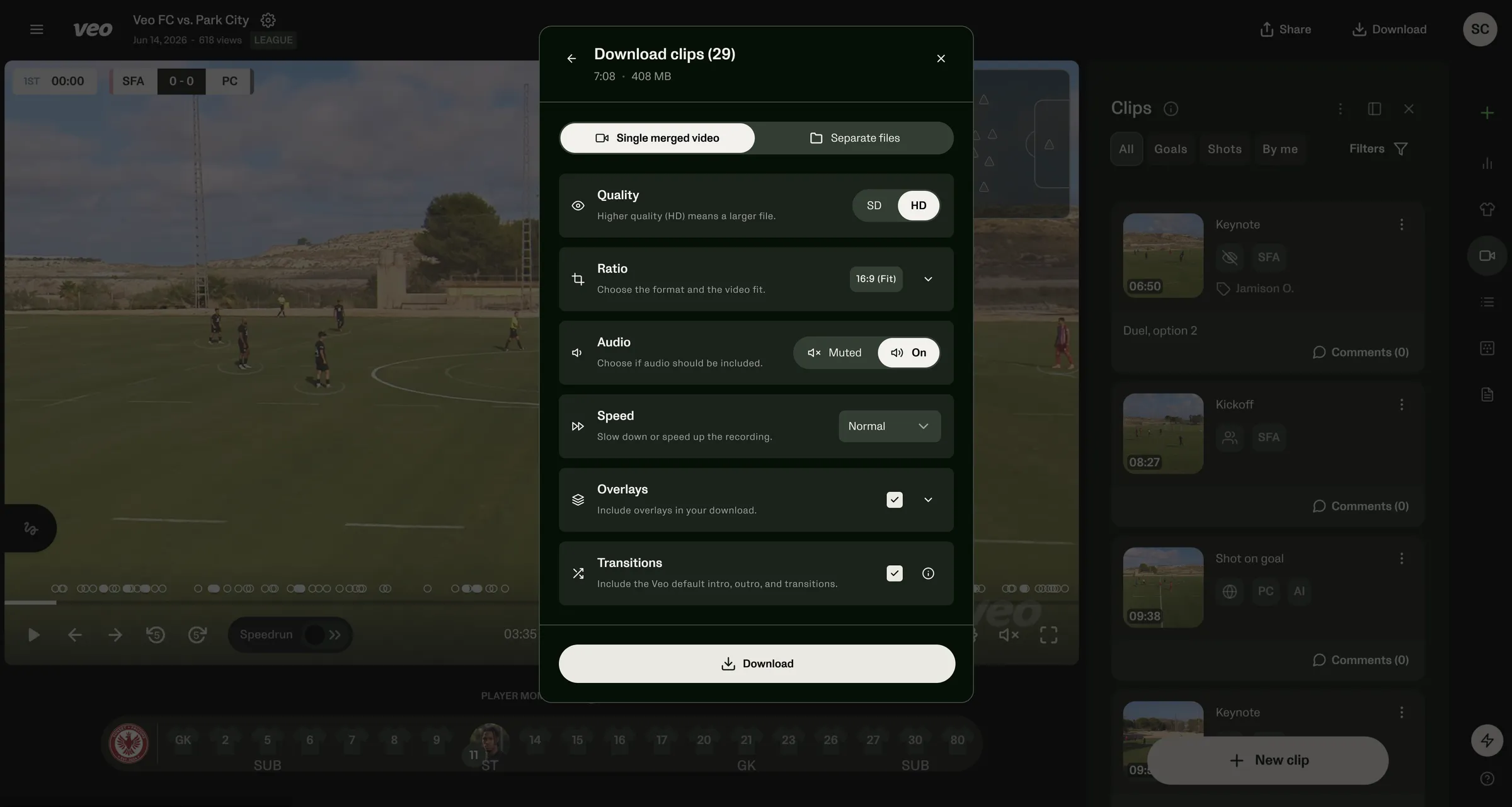
The download modal over the Veo match player: single merged video or separate files, quality, ratio, audio, speed, overlays and transitions
Context
Veo • Web, Mobile / Core
Role
Senior Product Designer
Scope
Discovery, design, prototype, research
Status
Shipped Fall 2026

The ask

Everyone wanted the same thing

Coaches and parents downloaded clip by clip, then stitched them in another app, losing quality.

528

upvotes for “merge clips into one video”, far ahead of anything else

  1. ⬇Downloadclip by clip
  2. 🗂Unzip29 files
  3. ✂StitchiMovie, CapCut
  4. ↓Exportlower quality

How a parent made a highlight video before. Four apps for one video.

The reframe

Not a feature per screen, one workflow

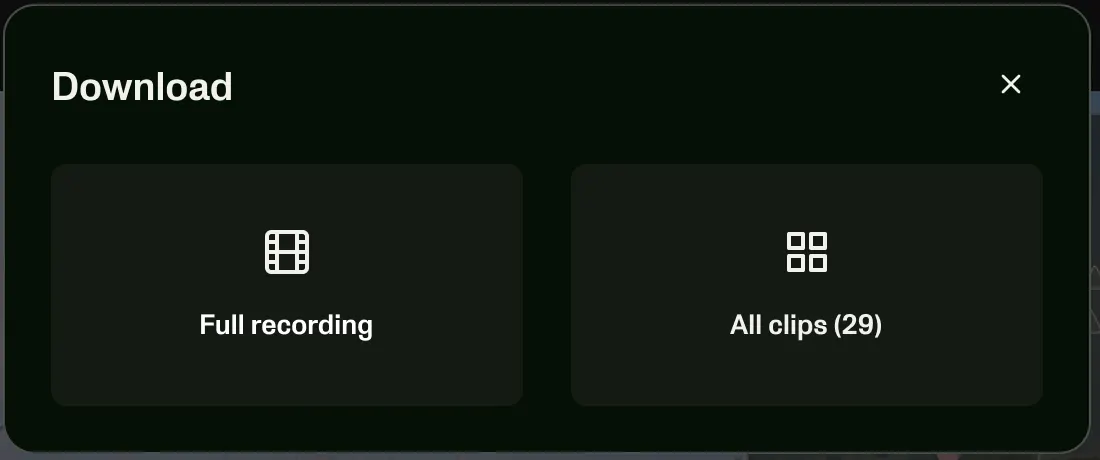
Every surface had its own download button and rules. I mapped them all into one flow: same modal, same options, wherever you start.

The Download dialog: choose Full recording or All clips (29)
The first step: the whole match or all your clips
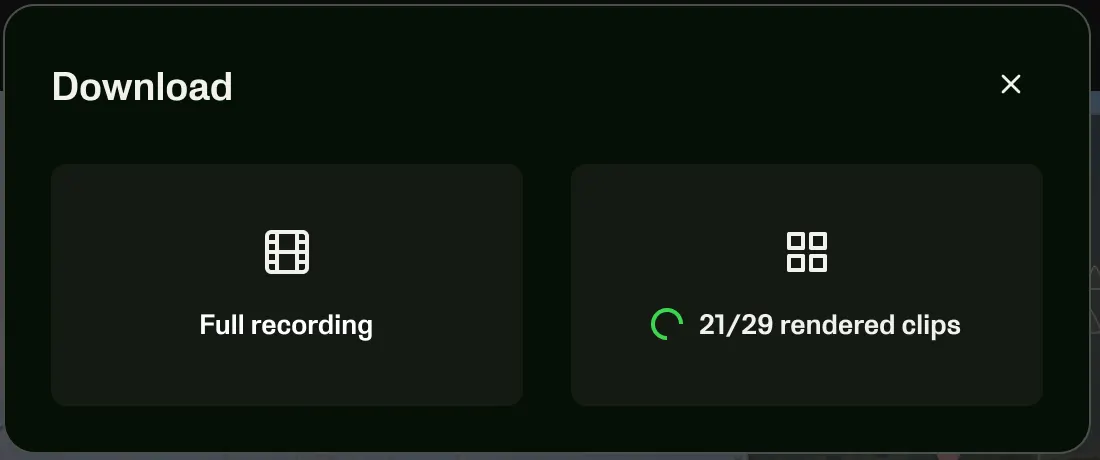
The same dialog while clips are still rendering: 21/29 rendered clips with a spinner
Clips take a while to render, so the dialog says how many are ready

Mapping what existed

Hidden rules, made visible

The mapping found hidden rules. “Download highlights” quietly decided what went in your reel, which explained many support tickets. Each rule became a choice instead.

  1. Picked for you

    Only AI-detected goals and shots on goal. Penalties and your own clips were left out.

    Now: you choose the clips
  2. Capped

    Under 20 events: all of them. Over 20: goals only. Over 20 goals: no reel at all.

    Now: everything you select, with a clear limit
  3. Lost when shared

    On a match shared from another club, the reel couldn’t be downloaded, with no explanation.

    Now: the same flow on every match you can see

The options

Every option, and what it does to your video

The simple path stays short: merged or separate, then download. Everything else sits in clear rows below.

InteractivePick a format, switch Fit and Fill, toggle the overlays, change the speed.
Veo FC vs. Park CityJun 14, 2026 · LeagueWhat you’ll get
Preview of the download: a match filmed by a Veo camera5s
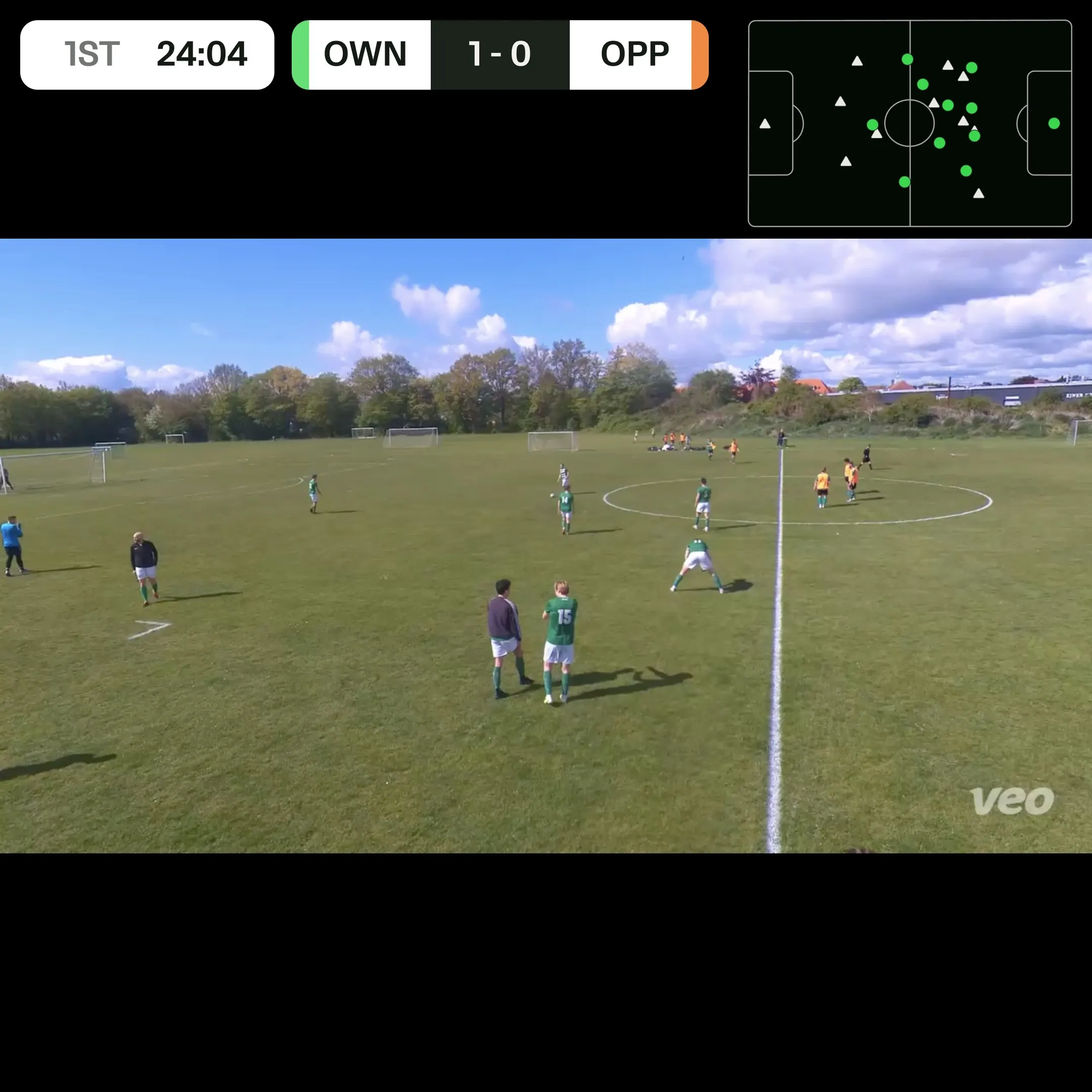
1ST24:04OWN1 - 0OPP
veo
HD
0:00 / 7:08

One video: veo-fc-vs-park-city.mp4

29 separate files in a .zip

Download clips (29)

7:08 · 408 MB

Quality

Higher quality (HD) means a larger file.

Ratio

Choose the format and the video fit.

16:9 (Fit)

Full video with bars, or crop to match the target. i

Audio

Choose if audio should be included.

Speed

Slow down or speed up the recording.

Overlays

Include overlays in your download.

Drawings

Show any drawings saved with the clip.

Scoreboard

Show the score at the moment the clip was recorded.

2D radar

Overlay a top-right radar showing all players’ positions.

Transitions

Include the Veo default intro, outro, and transitions.

Rebuilt from my designs for this page, using a frame from the design file.

Formats

Overlays that survive every shape

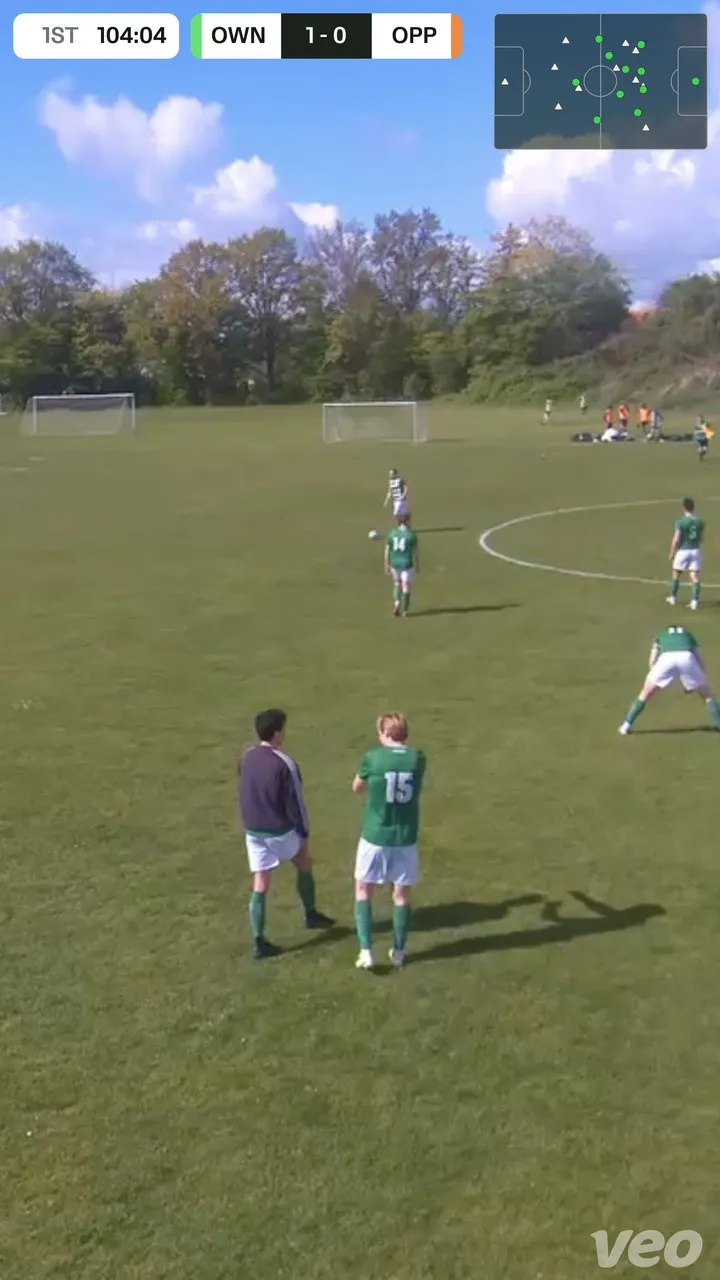
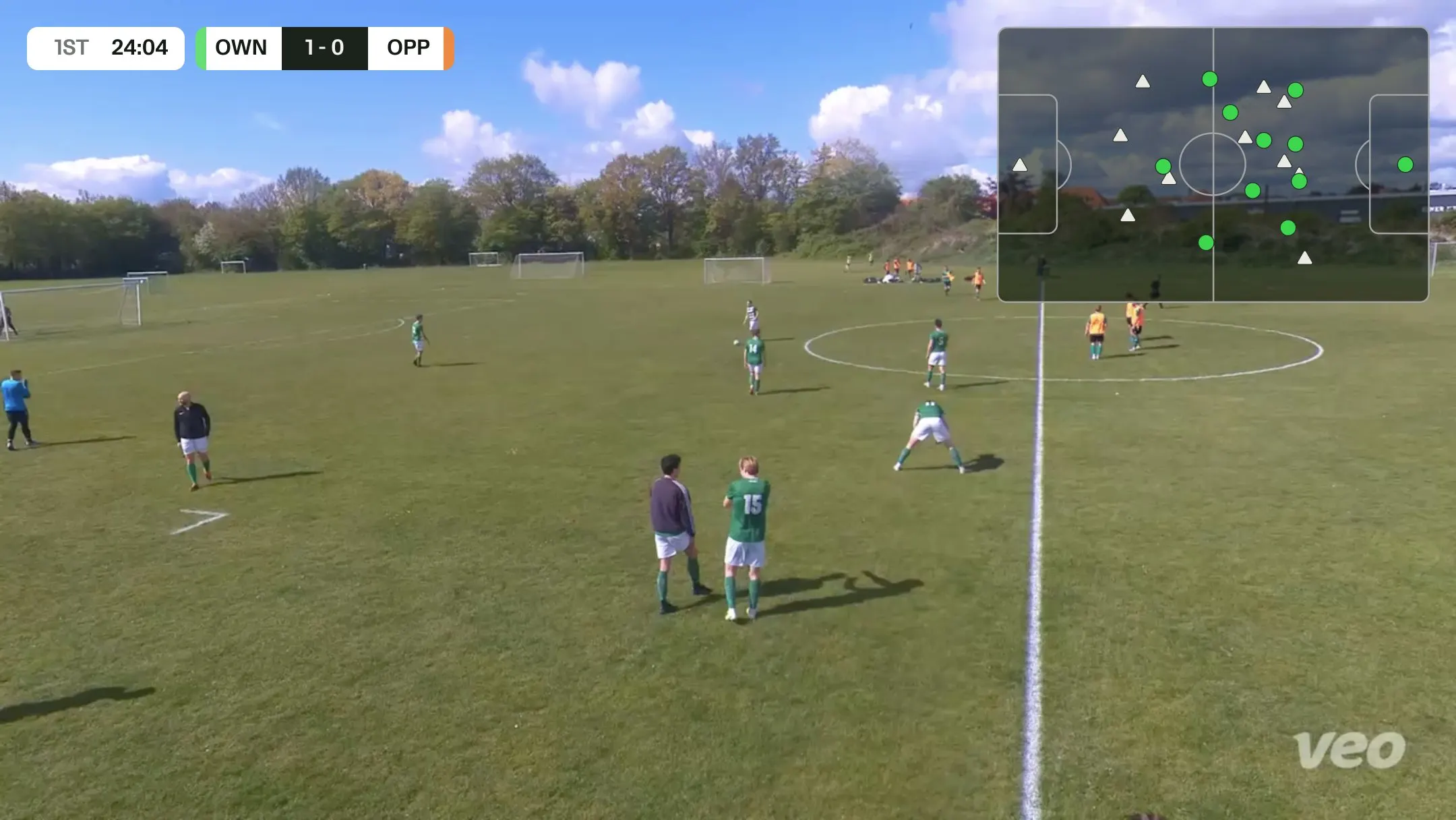
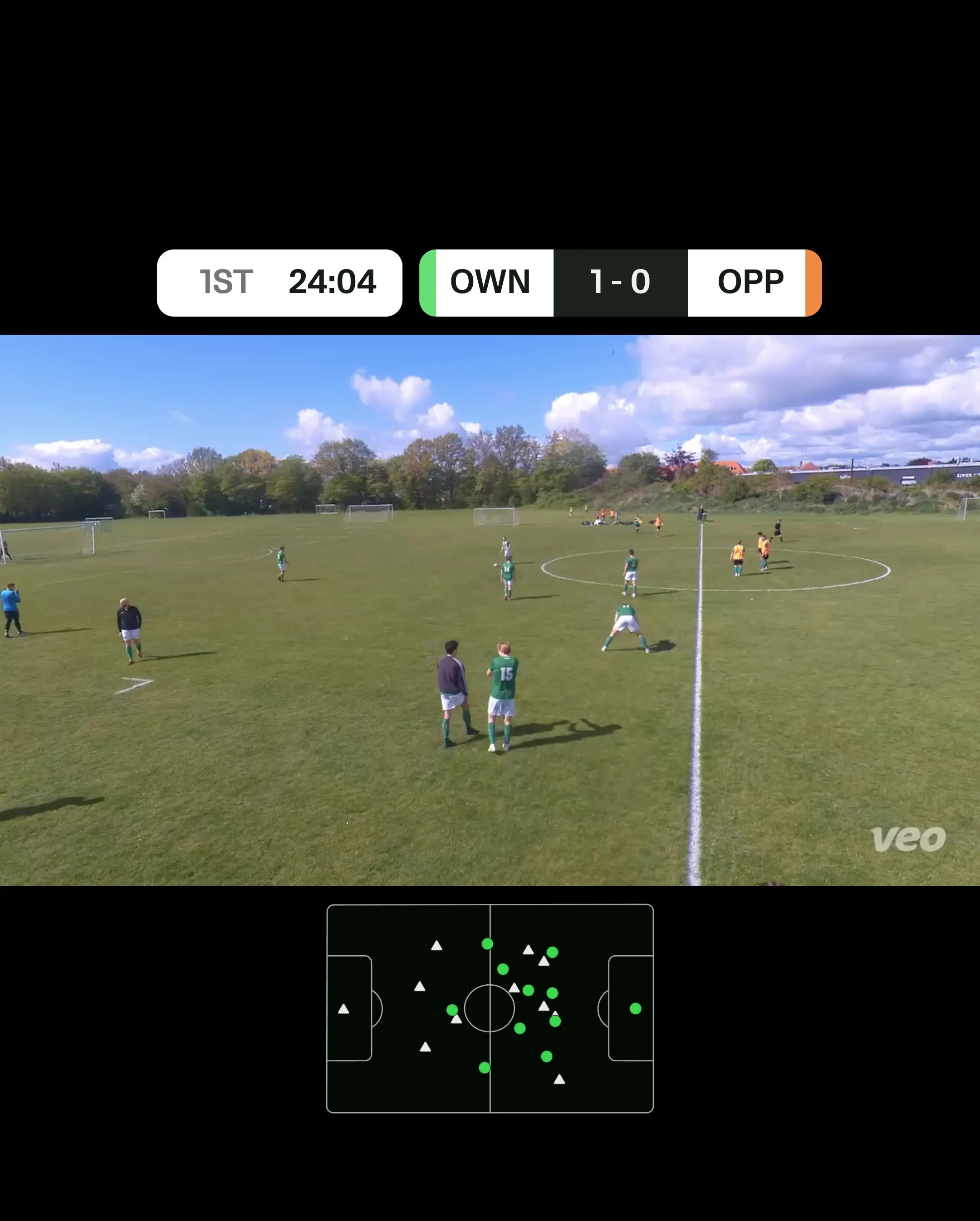
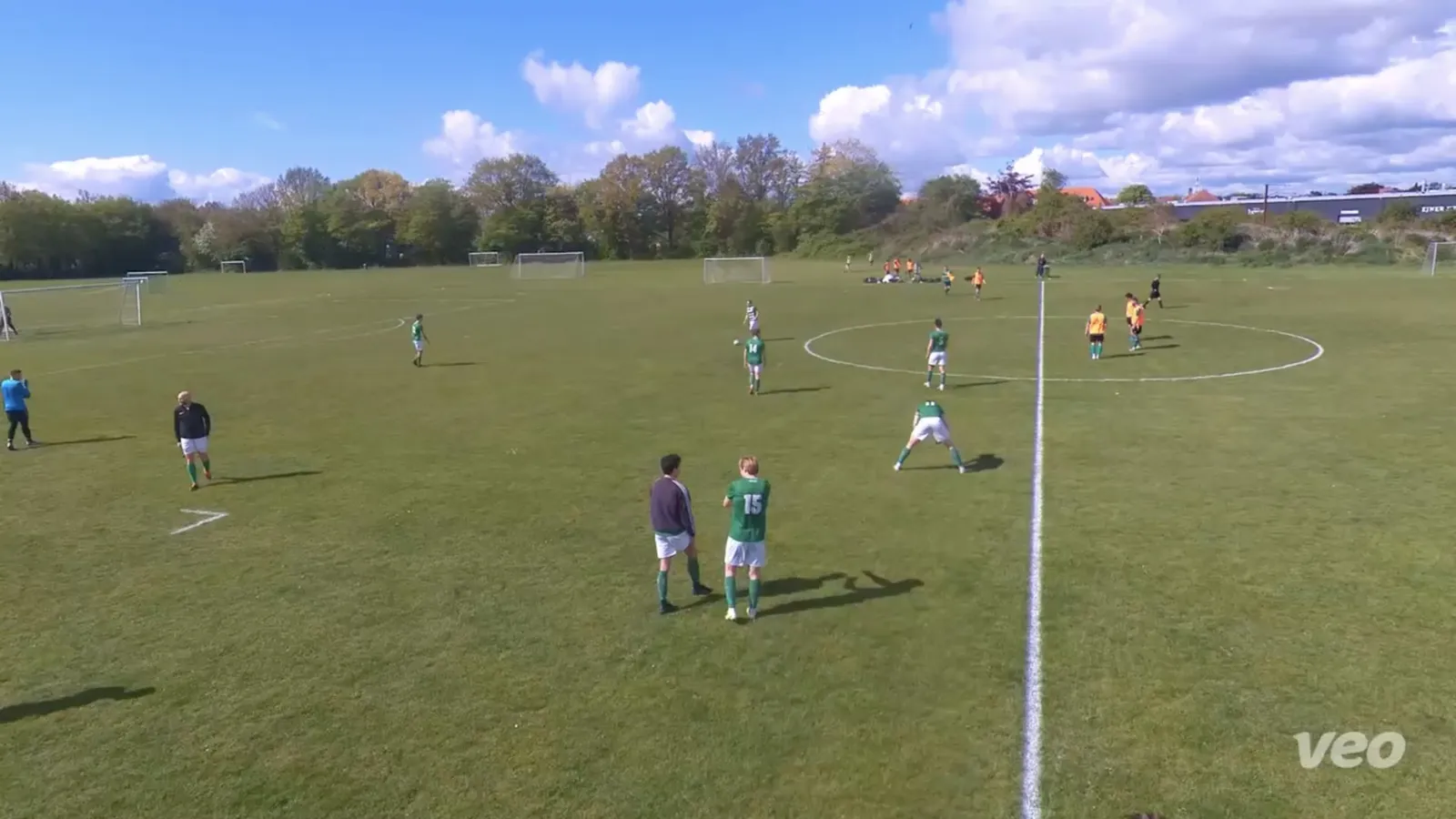
Overlays that work in widescreen break in a story. I specced placement per format and checked it on real footage: into the bars in Fit, the corners in Fill.
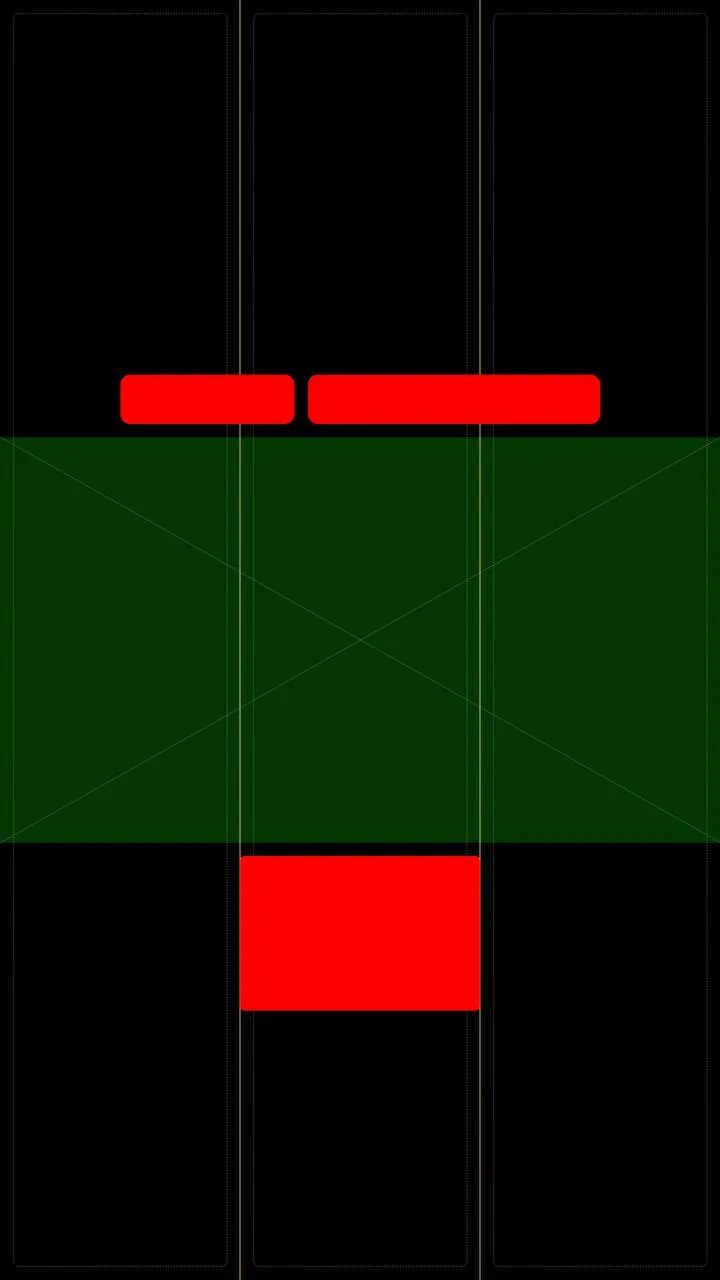
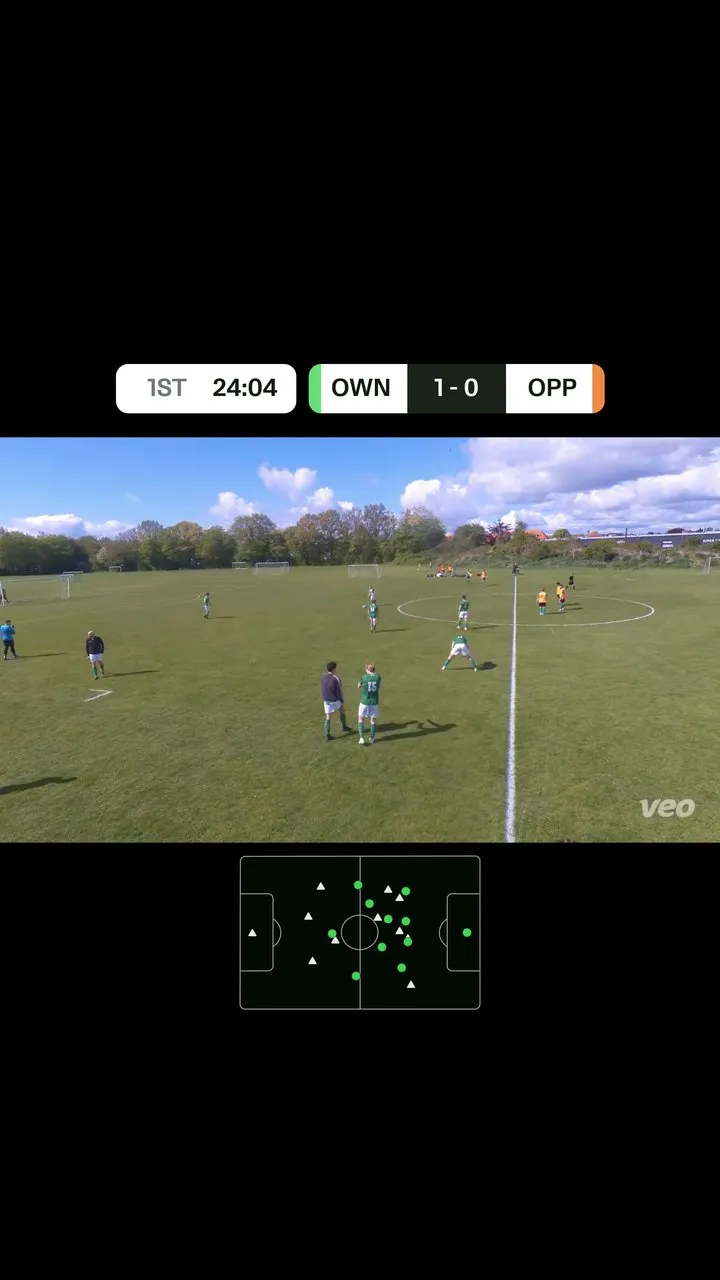
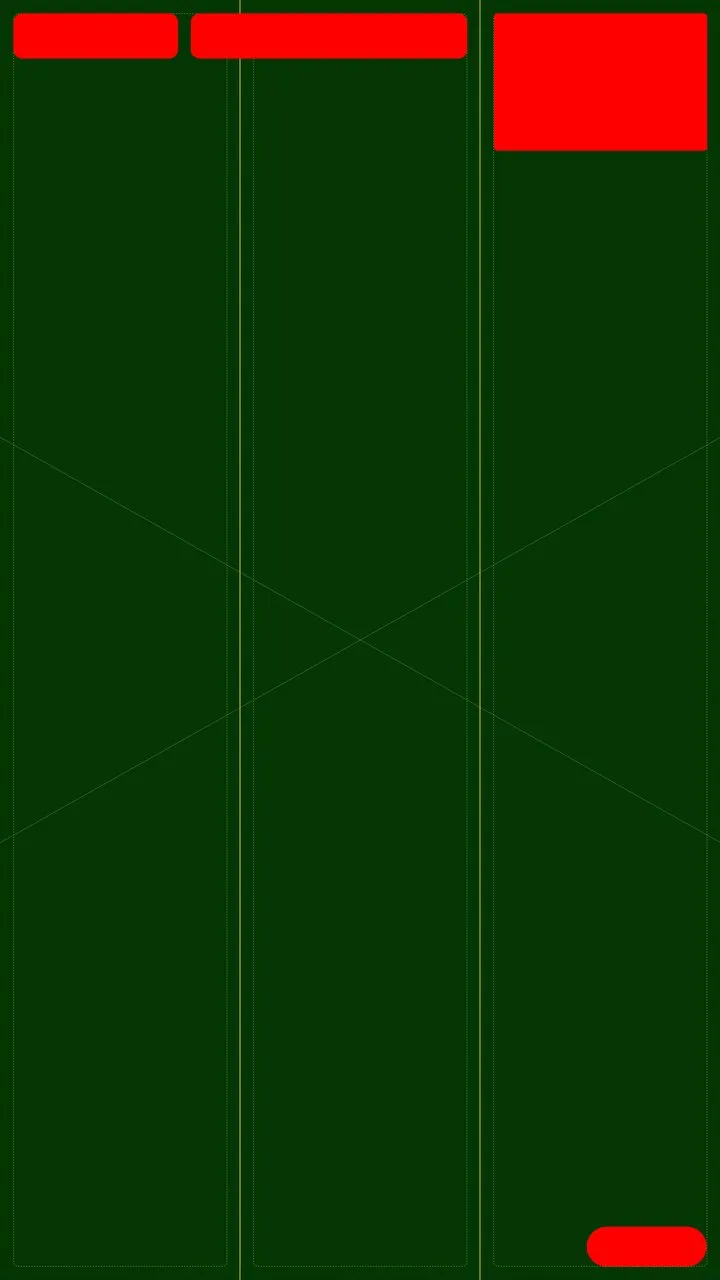
Layout spec for 9:16 fit: score above the picture, radar below, in the black barsThe same layout with match footage
9:16 Fit. Spec, then footage. Score and radar live in the bars.
Layout spec for 9:16 fill: score top left, radar top right, watermark bottom rightThe same layout with match footage
9:16 Fill. Cropped to the centre, overlays in the corners.
Widescreen 16:9 frame with scoreboard and radar overlays
16:9
4:5 frame with overlays
4:5
Square frame with overlays
1:1

On the phone

Same options, made for a thumb

Parents mostly download on phones, so the same rows stack into one column with bigger targets.

Mobile download options: Options collapsed
Options collapsed
Mobile download options: Options expanded
Options expanded
Mobile download options: Every format, one tap
Every format, one tap
Mobile download options: Overlays, one by one
Overlays, one by one

Prototype and test

Six things three people taught us

I built a working prototype and ran three remote sessions with parents and a coach, each with two real tasks. 64 highlights, treated as direction, not proof.

  1. 1

    Merging clicked instantly

    Everyone got “single merged video” instantly. No more stitching in CapCut.

    “A single merged video”

  2. 2

    Ratio and Fit confused everyone

    Nobody thinks in 9:16. They think “for my story”.

    “Black bars look cheap”

  3. 3

    The preview didn’t follow

    The example picture stayed the same whatever format you picked, which made the confusion worse.

    “A real-life example would help my confusion”

  4. 4

    Options below the fold were missed

    Nobody noticed the panel scrolled, so half the settings went unseen.

    “Hard to see you can scroll”

  5. 5

    Drawings and names matter most

    Missing drawings made people blame themselves. Everyone wanted to highlight one player.

    “Show who is my son”

  6. 6

    Don’t build a video editor

    Transitions and voiceover delighted. Next asks: reorder and trim.

    “Attention span of 8 seconds”

A Fit versus Fill explainer with two phones: full frame with bars, or cropped to fill
Fit or Fill, explained with real footage right where you choose.
An explainer for drawings: a clip with drawings on it, shown when you tap the info icon
Drawings: each overlay can show what it adds.

What I recommended next

  • Lead with where the video is going, with defaults for each.
  • Plain words, and a preview that follows the format.
  • Progressive disclosure, so nothing hides below the fold.
  • Speed per clip, then reorder and trim. Player highlights after that.

First release

Start small, on web and phone

The first release: separate or merged, audio and drawings, on web and mobile. Formats and overlays follow.
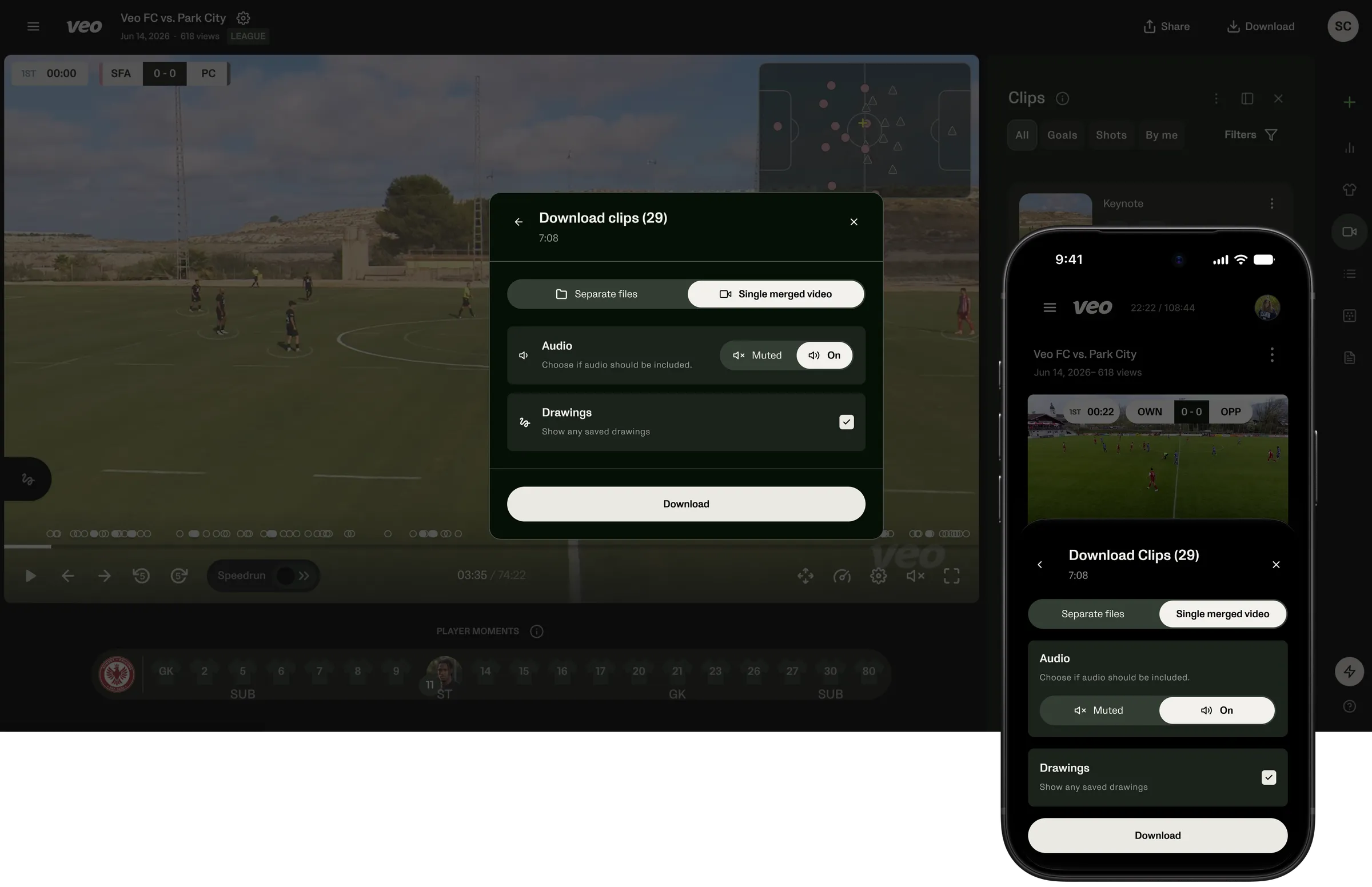
The first release: the download modal on web and on a phone

The unglamorous part: clips still rendering

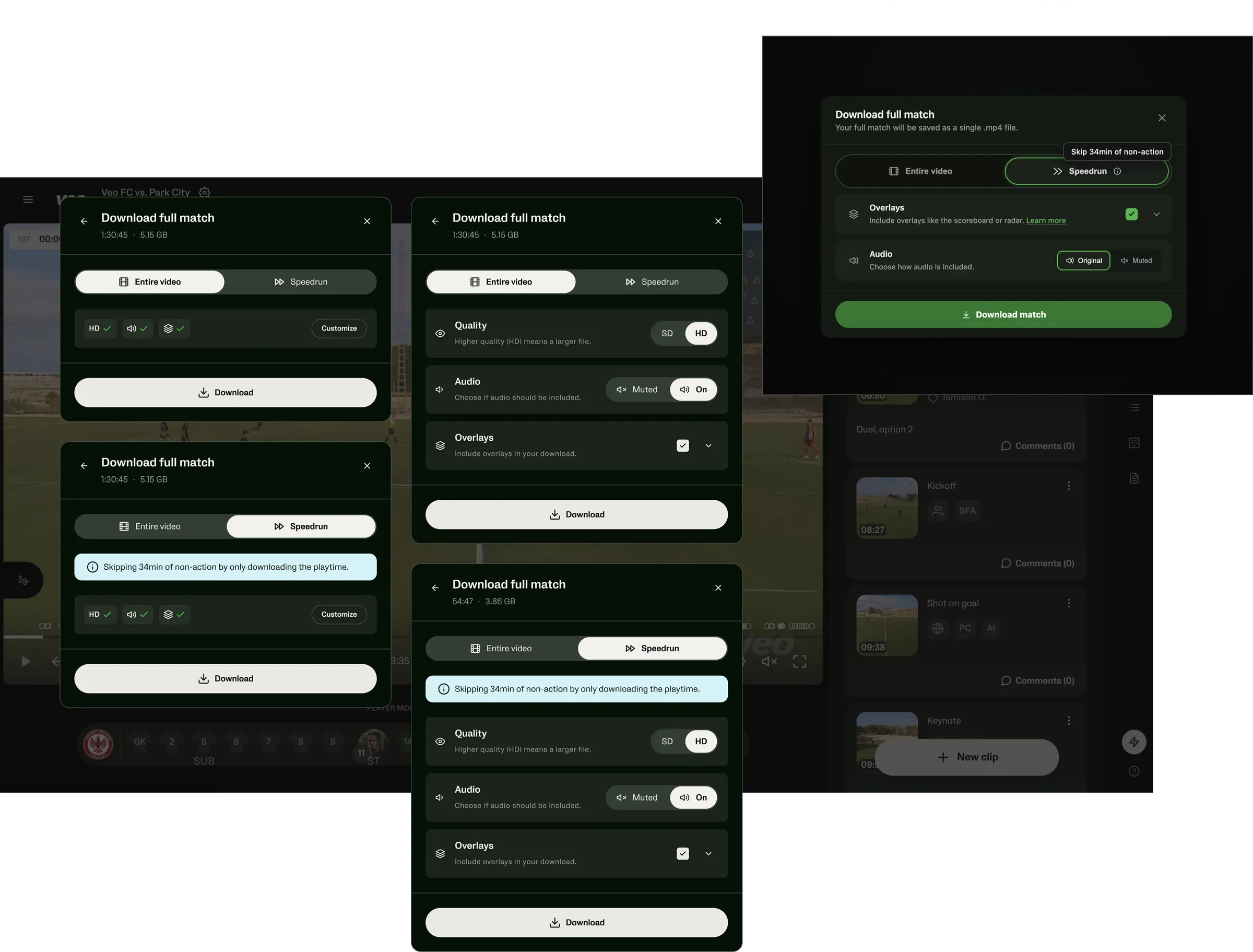
Clips render after a match, so I specced every download button for none, some or all clips ready, down to the copy.

Parked on purpose: the speedrun

Skipping dead time in full-match downloads: good idea, wrong release.
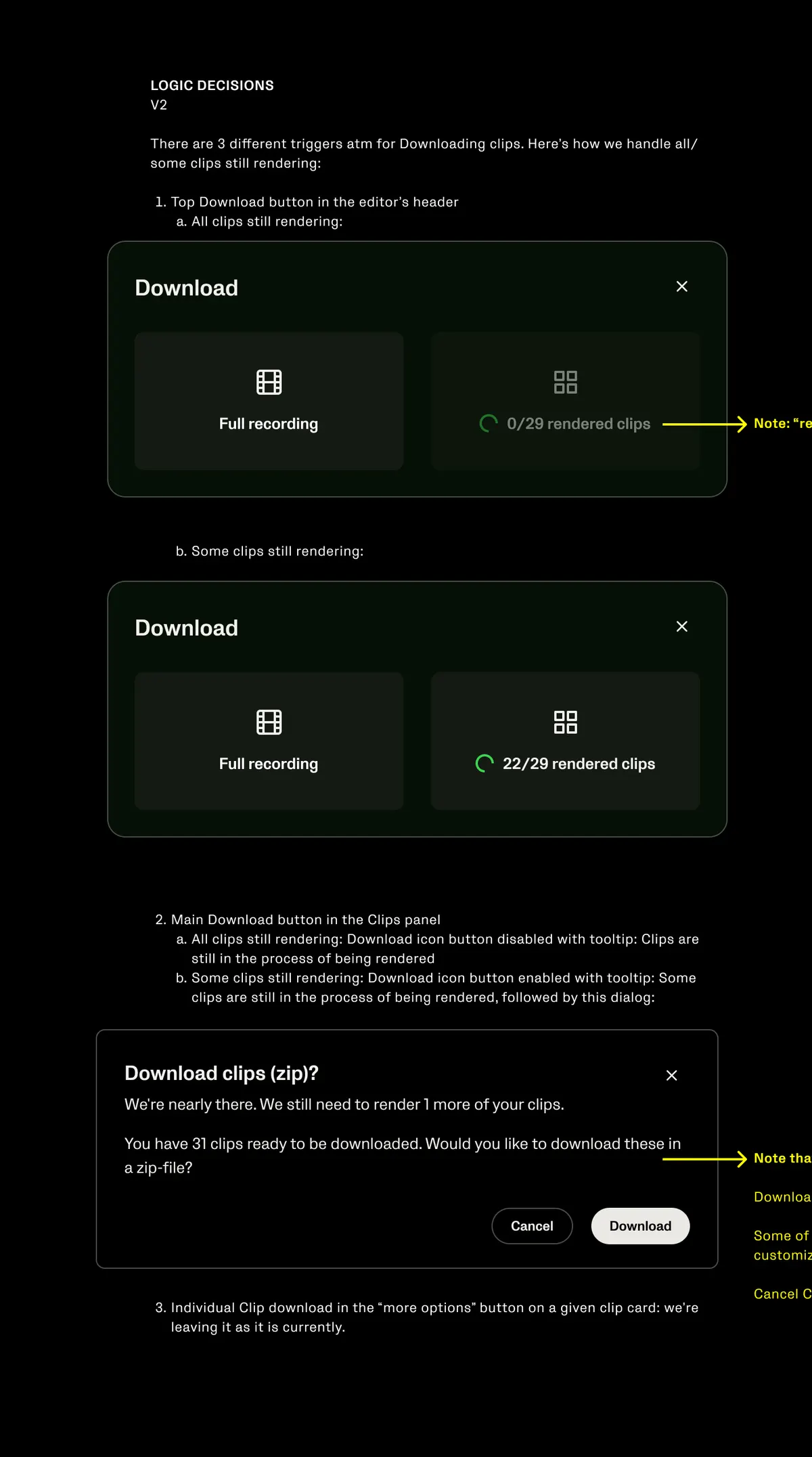
Logic decisions for downloading while clips are still rendering, with annotated dialogs
Logic for clips that are still rendering
Explorations of a speedrun download, marked out of scope
The speedrun idea, out of scope

Looking back

A real prototype gets real answers

People reacted to real videos, not a picture of a modal. That’s how we caught the preview problem no design review had.

And scope: no to a full editor, yes to reorder and trim.

Thanks for reading!