Analytics 2: The 30-Minute Coach and Proactive Team Setup
Veo’s AI reads every player’s stats and shirt number. But a number isn’t a name. I designed the roster, lineups and jersey linking that turn “#7” into a player, for coaches with thirty minutes a week.
Background: Veo’s Analytics 2 film, by Veo’s brand team
The problem
The stats need a name. Nobody had set one up.
Analytics 2 promises every player their own numbers. The camera only sees shirt numbers, and turning “#11” into Brayan needs a roster and a lineup. At launch, most teams had neither.
The work falls on coaches with a day job. So: how do we get the thirty-minute coach to do the setup that unlocks everything else?
- Feel like coaching, not admin: a pitch and a formation, not a form.
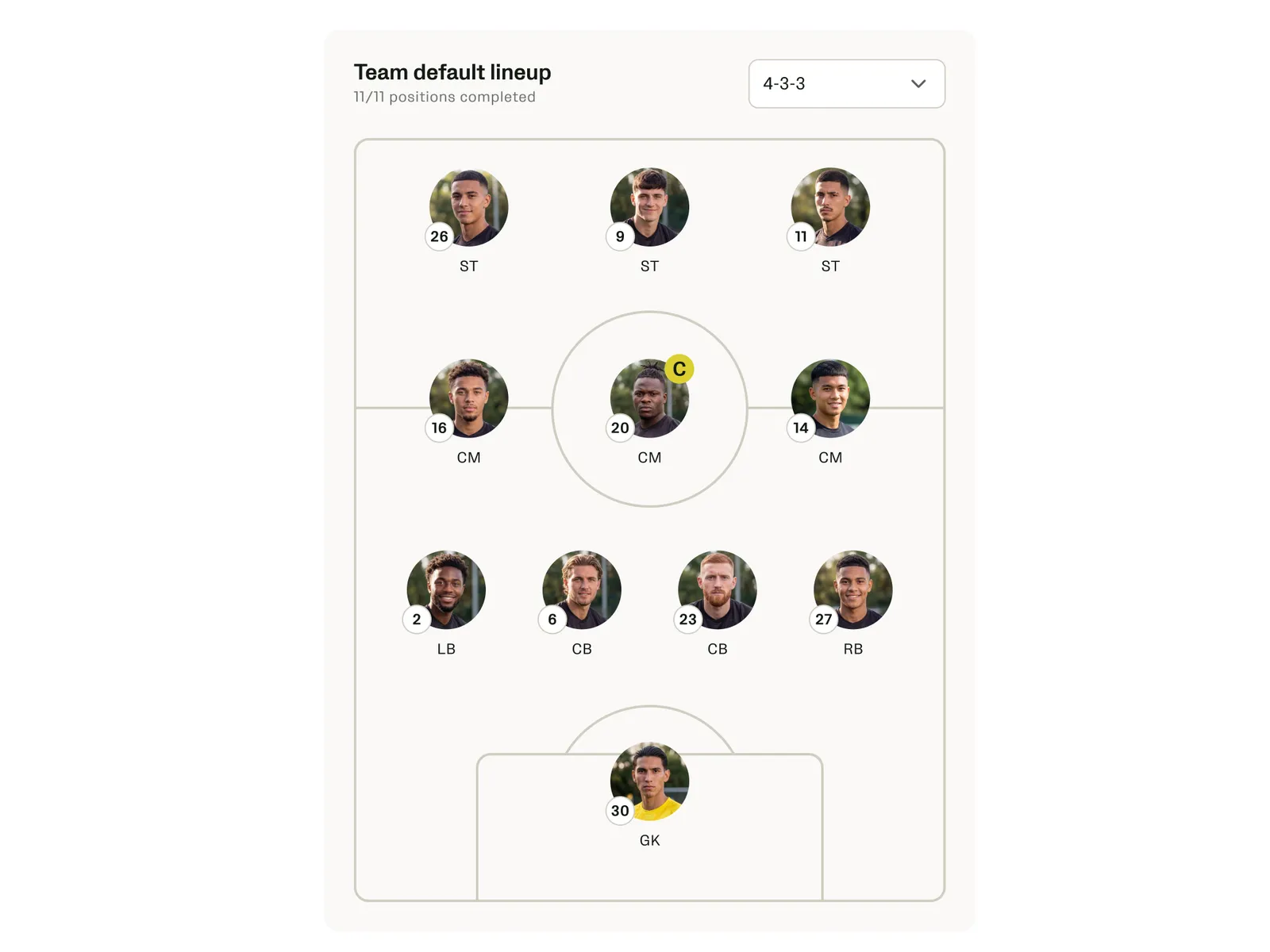
- Do it once: a default lineup on the team, reused for every match.
- Never show wrong numbers to cover for missing setup.
- Ask at the right moment, where the missing data hurts.
Shared words
First, agree on what a lineup is
Product, engineering and data each meant something different by “lineup”. We agreed five terms before drawing a screen.
- Roster
- Everyone on the team. At grassroots level, jersey numbers change from week to week.
- Starting lineup
- The eleven on the pitch at kick-off, for one match.
- Default lineup
- Saved on the team, so it isn’t redone every match.
- Formation
- The shape, like 4-3-3. You can set one without naming any players.
- Snapshot
- A roster snapshot per match, so old matches stay as they were.
The setup flow
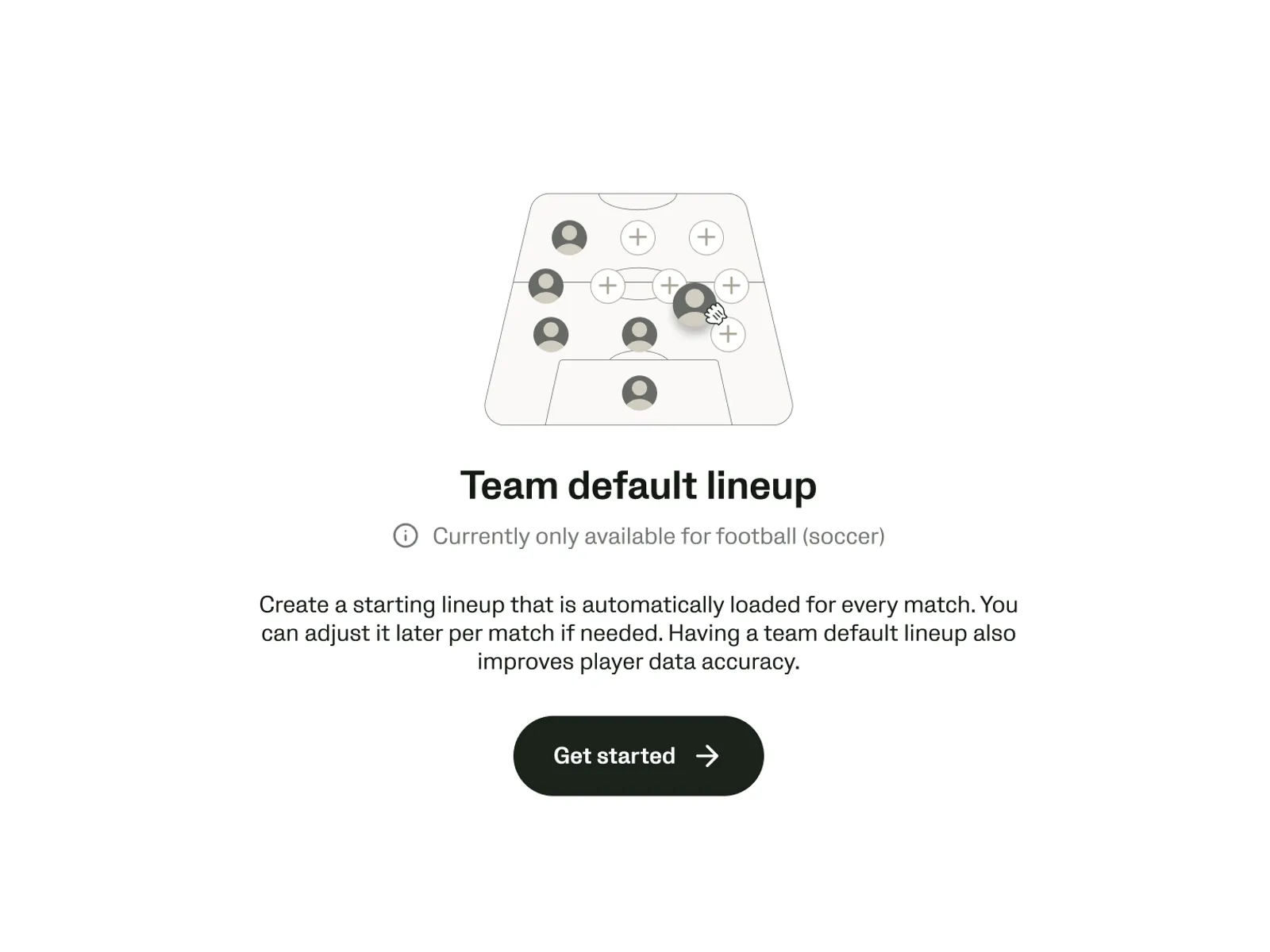
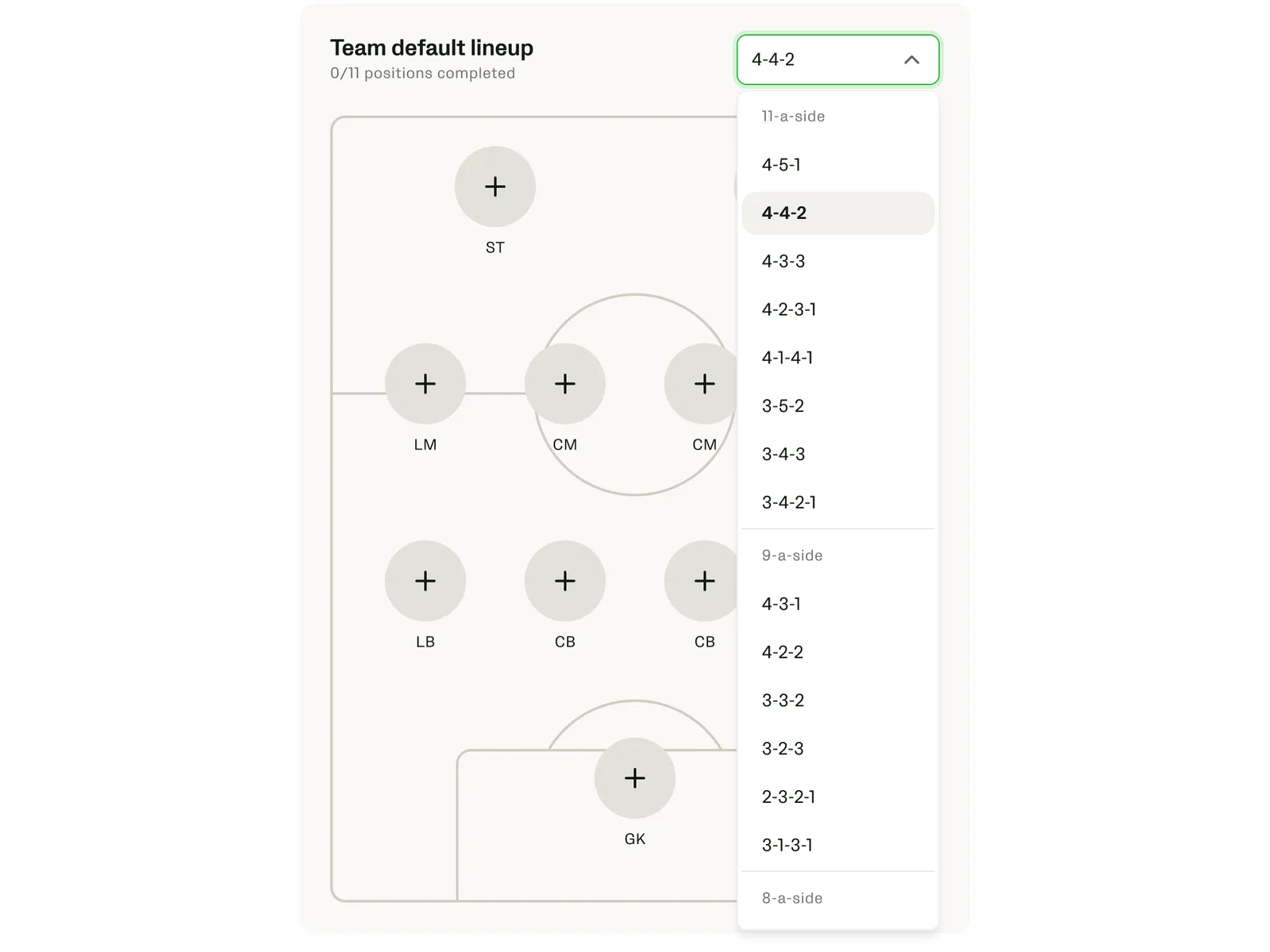
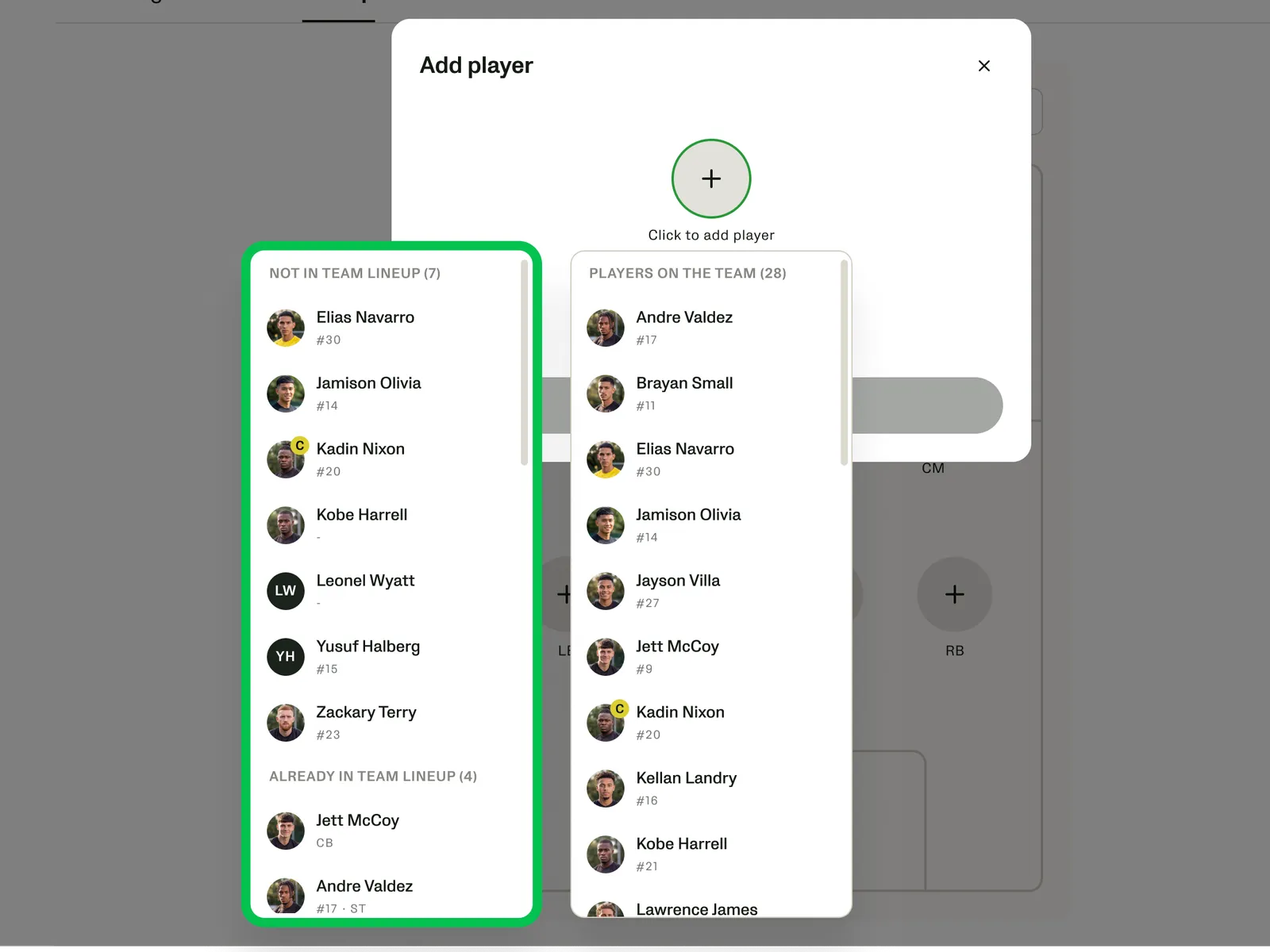
From empty to 11 of 11
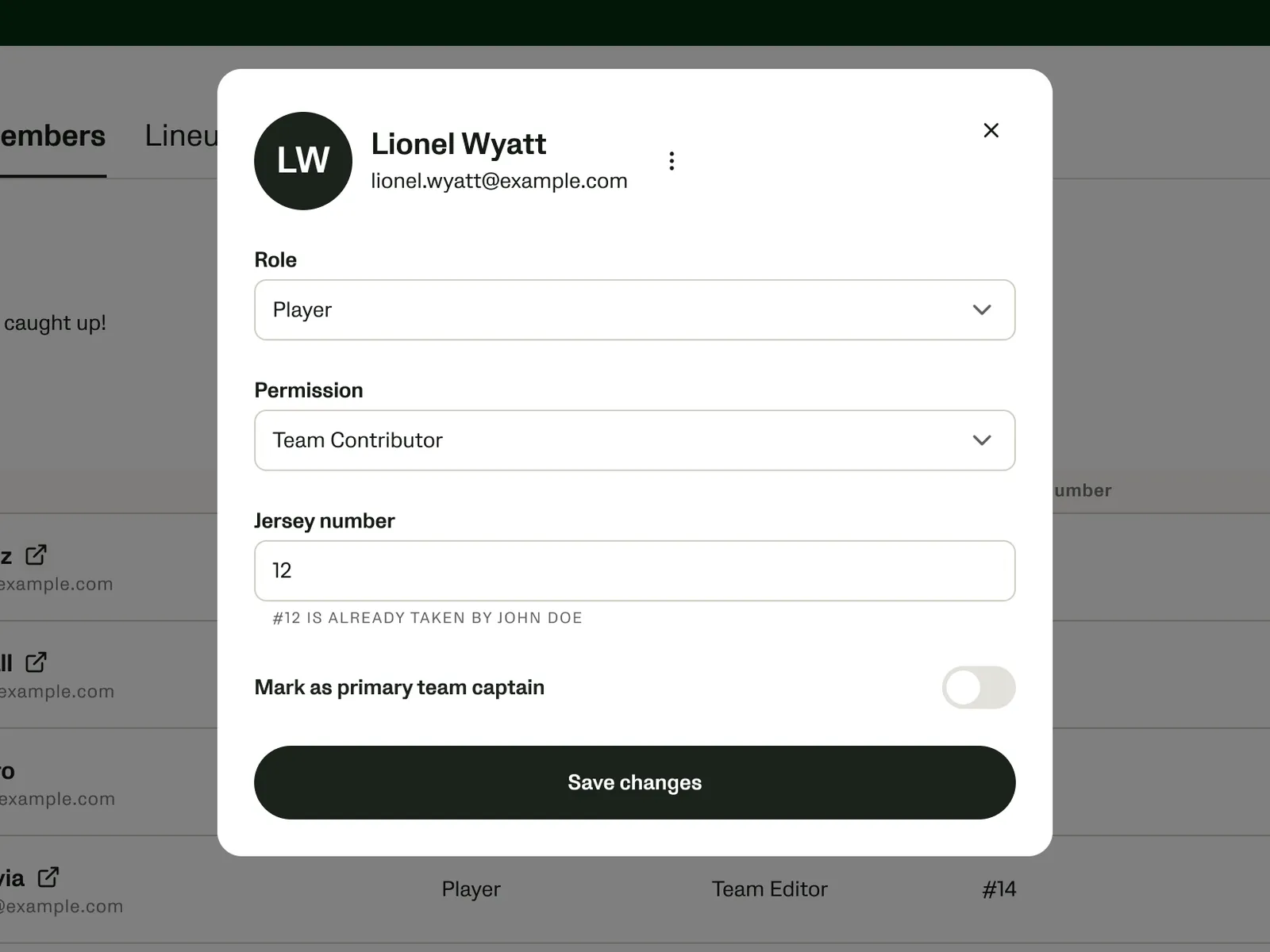
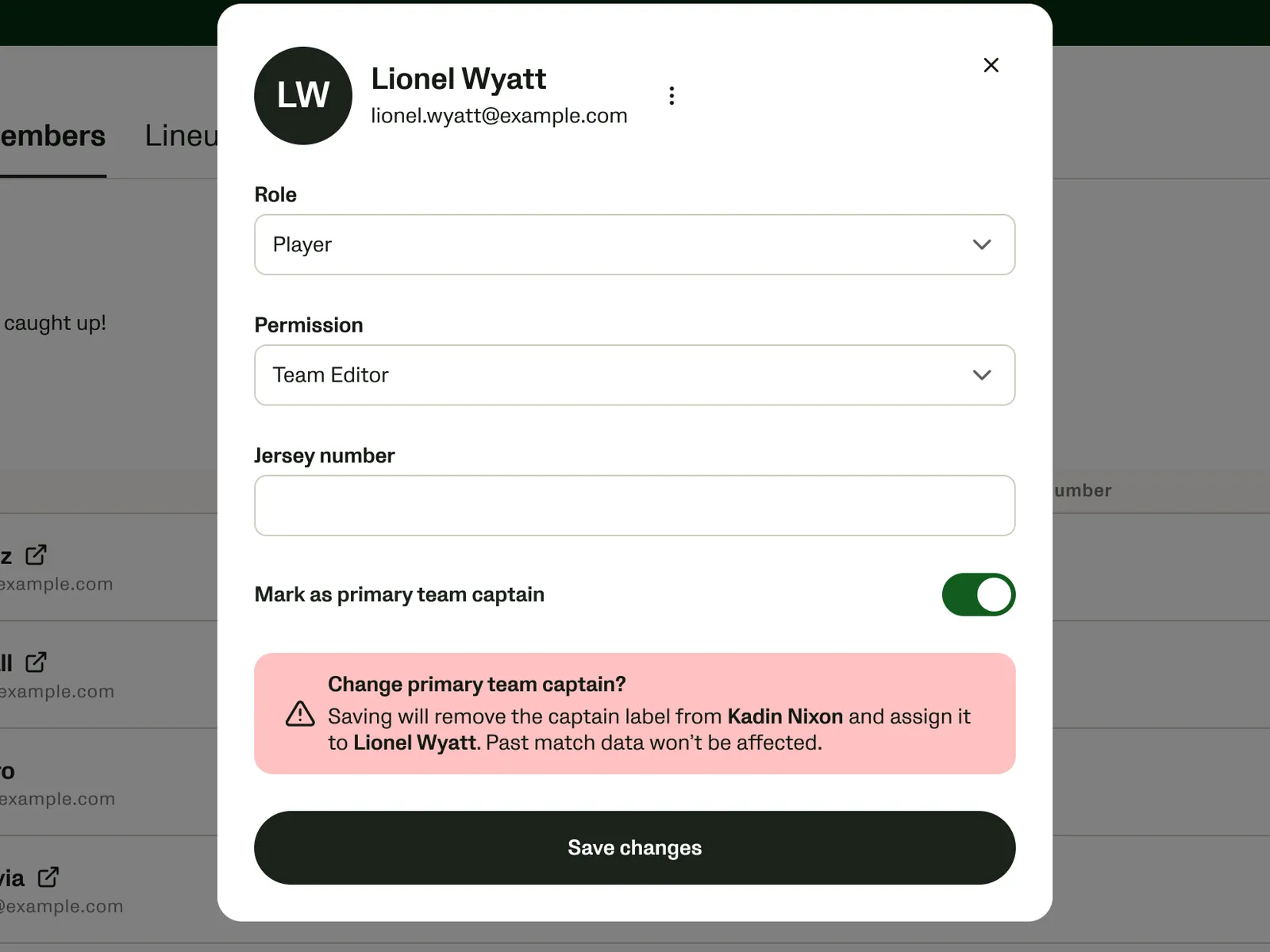
The shipped flow, one decision per step.
The lineup builder
Setup that feels like picking a team
Coaches think in positions, so the lineup is a pitch, not a form. This is my tested prototype: drop players onto the pitch.
InteractiveDrag players onto the pitch. Tap an empty spot to add someone. Try another formation.
Players in the team 24
Drag players onto a position to complete the lineup
All players are placed
The formation
0/11 positions completed
Add player
Defense
Midfield
Attack
Change formation?
Switching to 4-4-2 will clear every player from the formation and move them back to the players list.
Data you can’t fully trust
Three kids, one number seven
Unlinked jerseys can silently merge different players across matches. With engineering, I weighed the options on trust, adoption and launch scope.
InteractiveSwitch between the options and watch the #7 row.
What the camera recorded
| Match | Jersey | Linked to | Distance |
|---|---|---|---|
| 1 | #7 | Leo Hart | 9.1 km |
| 2 | #7 | Sam Ortiz | 7.2 km |
| 3 | #7 | nobody yet | 8.0 km |
| 1–3 | #9 | Jonas Weber | 8.4 + 8.8 + 8.1 km |
| 1–3 | #20 | Kofi Mensah | 10.2 + 9.6 + 10.5 km |
| 3 | #14 | nobody yet | 6.9 km |
What the coach sees · distance, last 3 matches
On the whiteboard first
Start from the player, or from the jersey
Coaches don’t always know who wore what, but the video does. A spot can start from a player, a detected jersey or a typed number.
Every conflict gets a plain warning before anything changes.
One player, every state
A face, a number, or an open spot
Player Avatar, from our design system, draws a player the same way everywhere.
InteractivePick who it is, change the kit and marks. Hover the avatar, click it to select it.
Move it upstream
Prevent unknowns instead of cleaning them up
Instead of cleanup tools after the match, I pushed to catch missing setup where it’s cheap to fix:
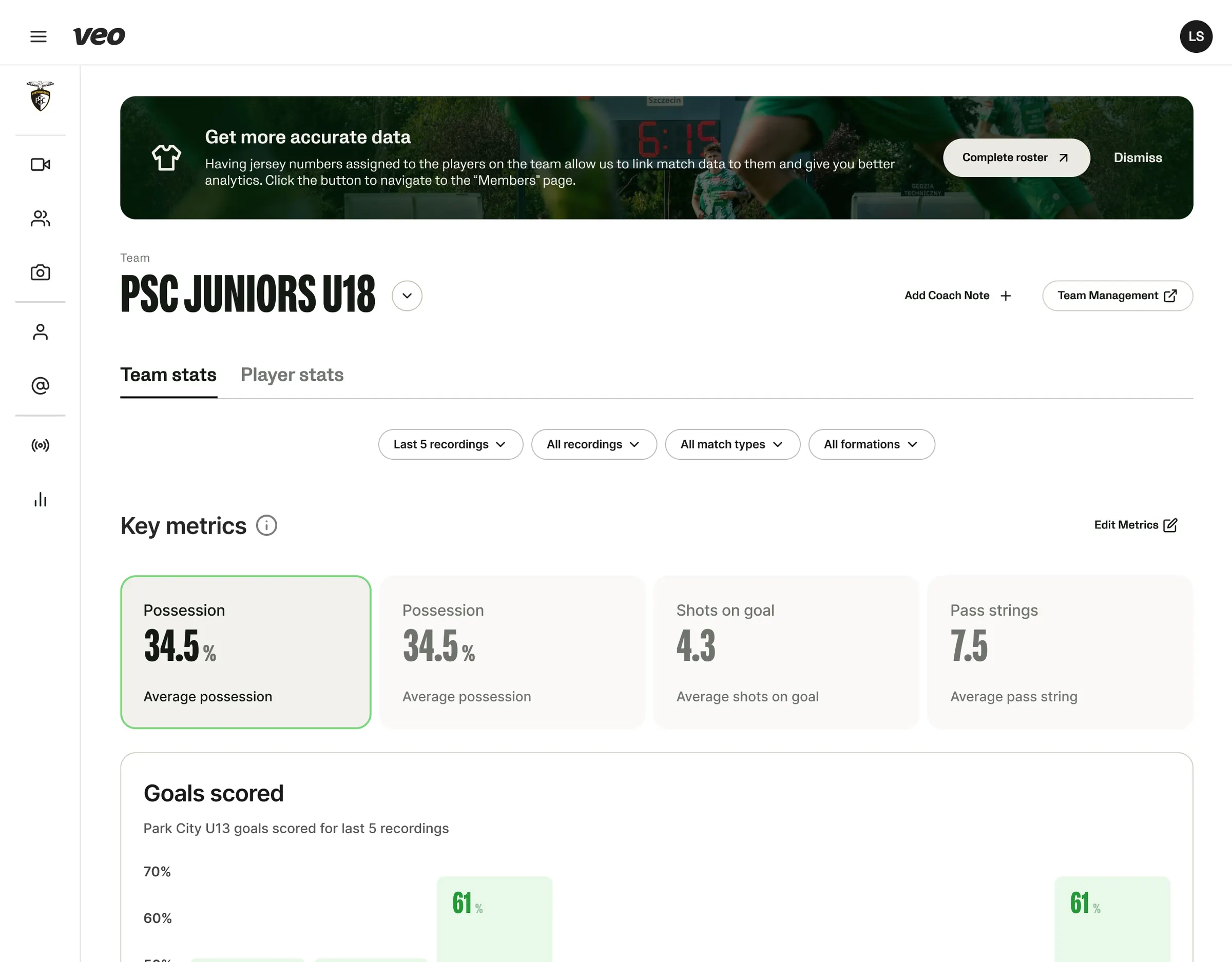
On the stats page
Ask where the gap hurts
Coaches notice missing names in their stats, so we ask there: one sentence, one button to the roster.
When a player claims their number
Fix it once, at the right scope
Linking a number asks how far the fix reaches: this match, from now on, or all past matches, with a warning for rewriting history. It works like “claim jersey” in the player app.
InteractivePick a scope and see which matches change.
Link #7 to Leo Hart
Strong warning shown: this changes 4 past matches that other people may have already looked at.
Prototyping the hard cases
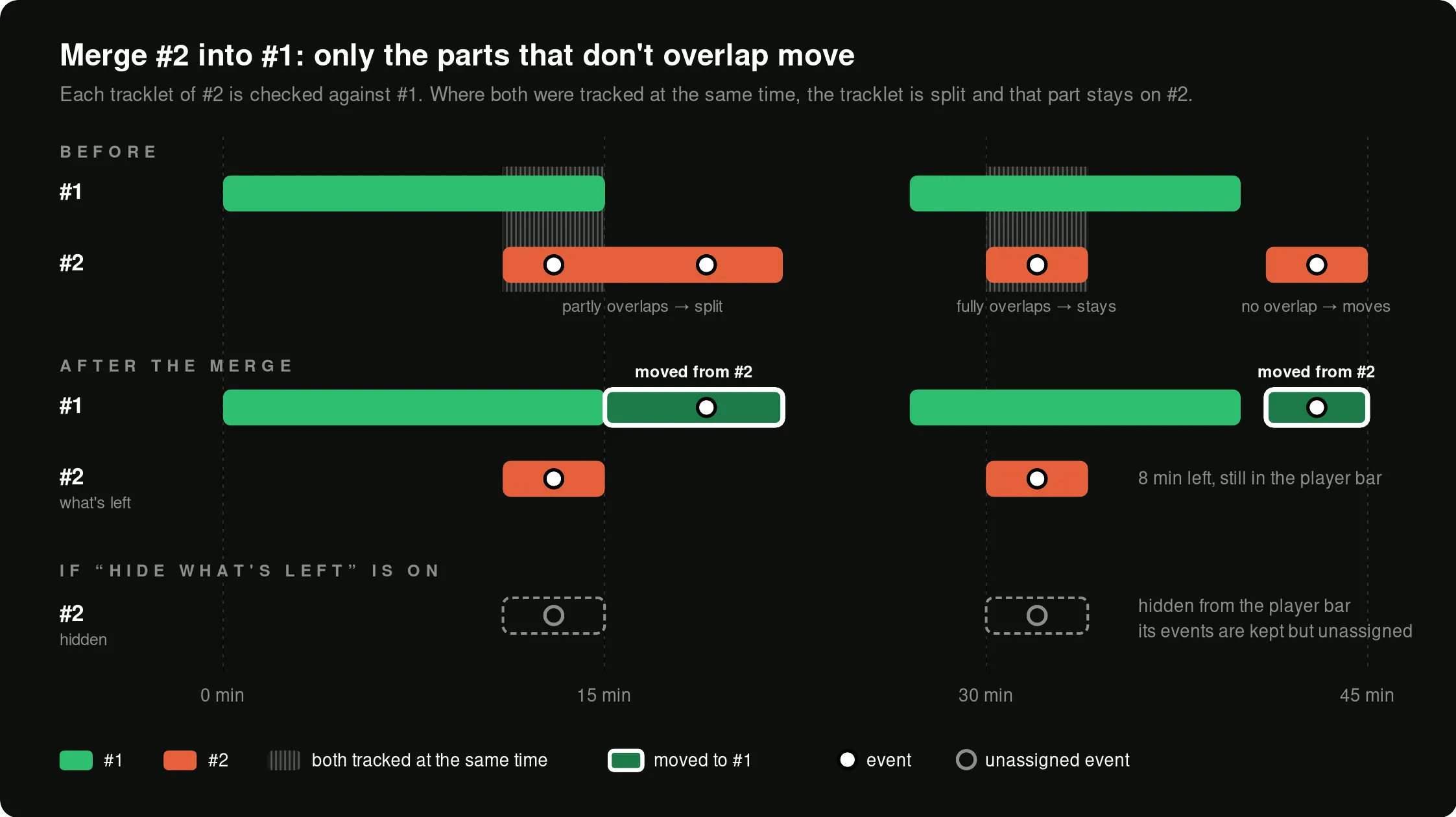
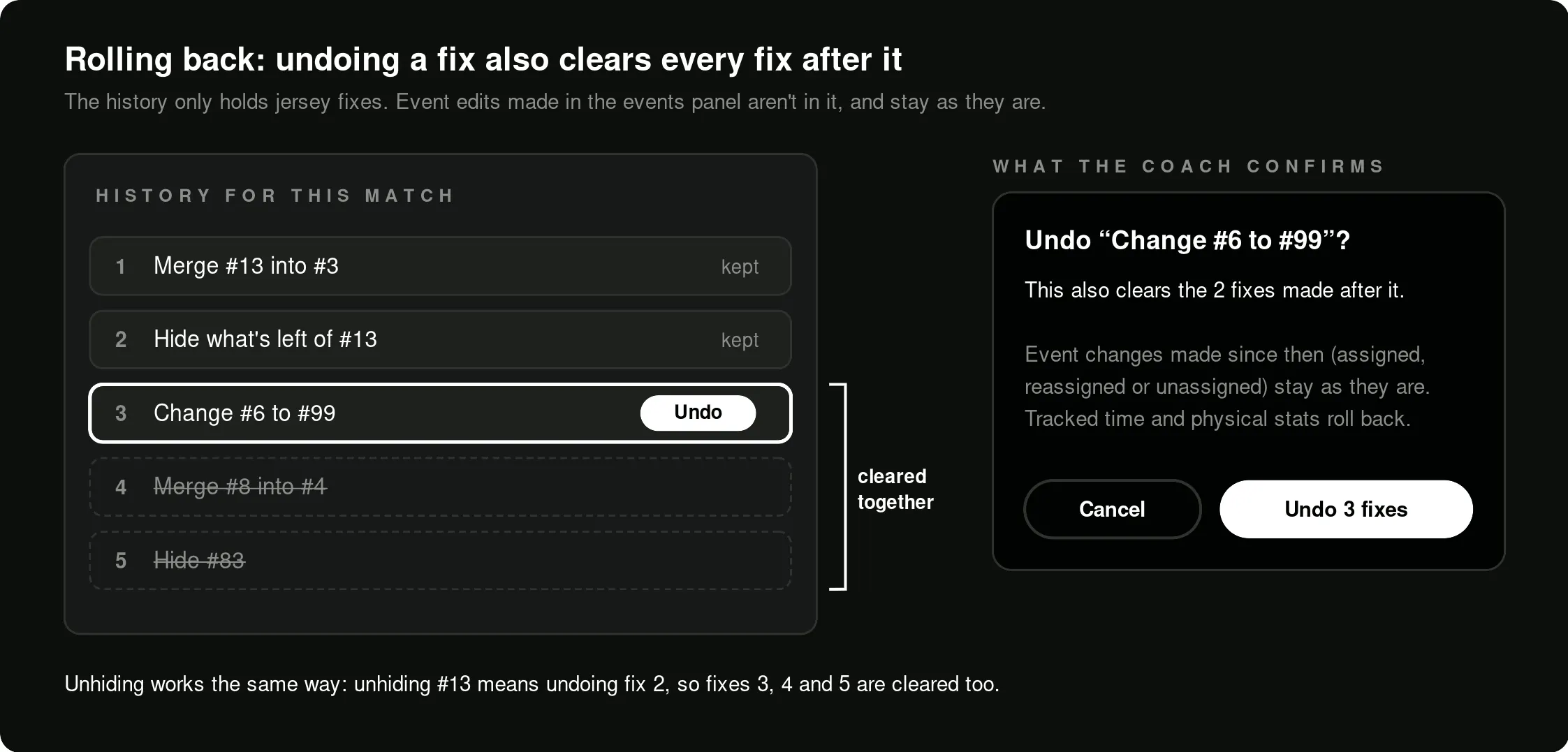
Merge, split and roll back
Launch
Shipped with Analytics 2, summer 2026
Team setup launched with Analytics 2 and the new Match Report, which I reviewed. Lineup setup shows at 0:08 in the launch film, the roster at 0:16.
Outcome
Coaches did the setup
completed lineups per week vs. before launch, and it held
coaches building lineups each week
views of the Lineup tab vs. before launch
Relative numbers, setup only. Correlation, not proof.
Looking back
Honest data earns more trust than full data
The big call was showing less: no number looks more certain than it is. Clear “unassigned” rows and nudges kept that honest view useful.
Next time I’d agree on success metrics before building. Tying the signals to revenue took too long.
Thanks for reading!