Draft Shifts: Schedule Now, Publish Later
Managers want to fine-tune a schedule before their team sees it, but Planday published every shift instantly. We went after the root cause.


My role
Getting everyone to the same starting line
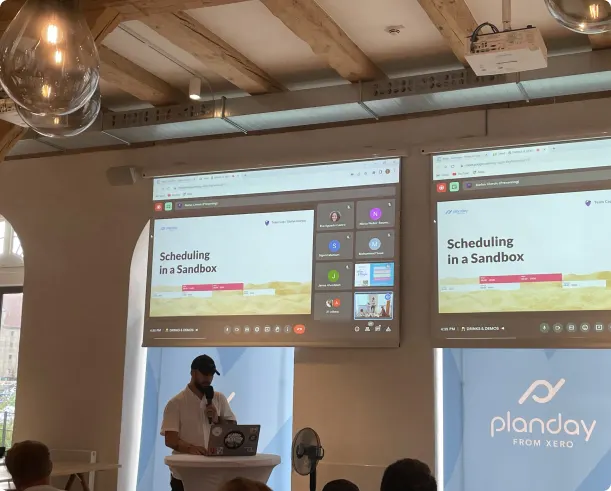
I got Product, Tech and UX aligned on where we were and where to go, and facilitated the scheduling team.
What I did
- Ran alignment meetings and heuristic reviews with PMs and Architects
- Prototyped ideas and tested them with users
- Shared findings and ran the design iterations
Goals
- Simpler scheduling, with fewer legacy features
- The right people told the right thing at the right time
- Match how users think about schedules
Challenges
- Better usability without long development cycles
- Pushback on refactoring work, so we had to show why it mattered
Understanding our users
Busy managers who plan ahead
Managers are busy and mistakes cost them extra work. Research showed they prepare schedules early, refine them gradually and want to give staff fair notice.
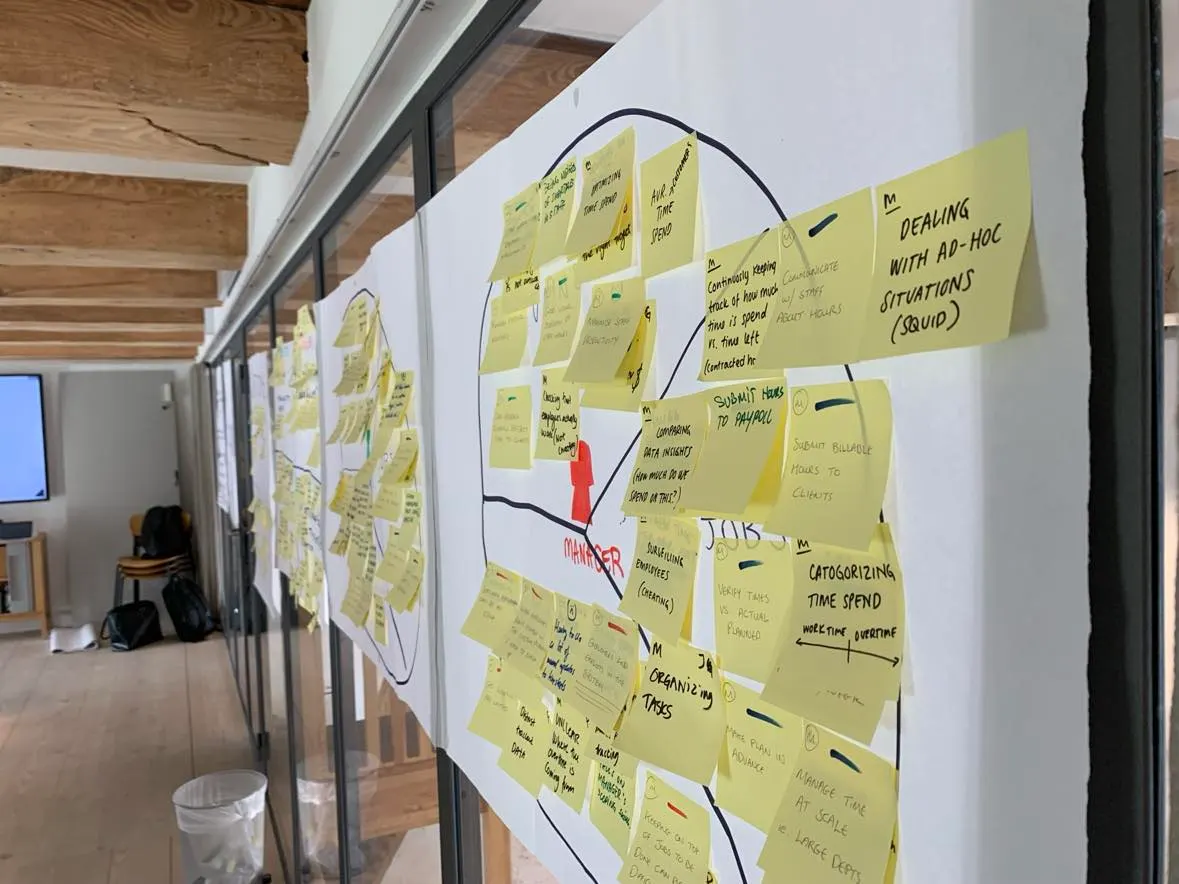
The people we design for


The problem
Every shift was public the moment it was made
Too many notifications, and staff saw shifts that weren’t final. Small fixes piled up.
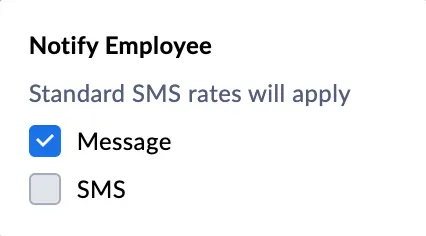
Fix 1
A “notify employees” checkbox
Skip notifications, but employees still saw the shifts.
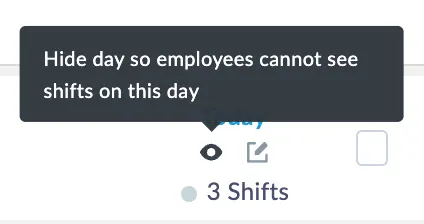
Fix 2
A button to hide a day
Hide a day. Handy, until you need a week.
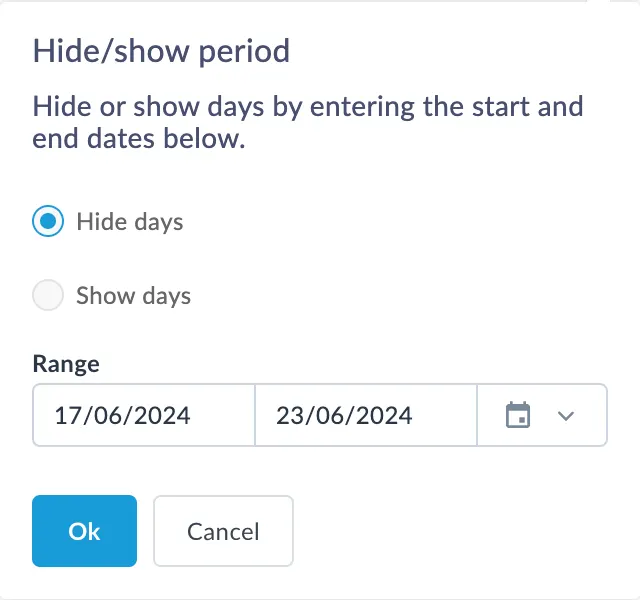
Fix 3
“Hide/Show period”
Hide whole periods, for enterprise customers.
Each sales-driven fix made sense alone, together they confused. With our PMs, UX pushed for a product-led approach instead.
The approach
Release fast,iterate even faster
A Draft Shifts feature already existed for one enterprise client. We released it to get real data.
Getting the data right
A two-day bug bash made drafts behave everywhere, from budgets to payroll.
Old habits die hard
With Content & Education, we explained drafts and why publishing matters.
Insights
What we kept hearing
We built the case for releasing drafts from many sources. A few examples:
The usability test
Testing with the whole team in the room
Engineers joined early, because understanding a problem makes you believe in it. Ideas came from the whole team.
What we wanted to find out
- Do users understand the difference between draft and published shifts?
- Do they need draft changes, or only draft shifts?
- How many shifts do they expect to publish at once, and how?
- Script. Written with Research, opening on how each participant schedules.
- Prototype. Tasks in Figma while PMs, engineers and designers took notes.
- Synthesis. Notes sorted in Miro after each session, then turned into insights.
Three findings that shaped the design
“So draft shifts are not ready, but can my employees see them though?”
“This indicator will save me so much time. When can I have it?”
“If I just want to make small changes, my employees had already agreed to that.”
The solutions
Four changes that made drafts click
We addressed every finding. These are the improvements that mattered most.
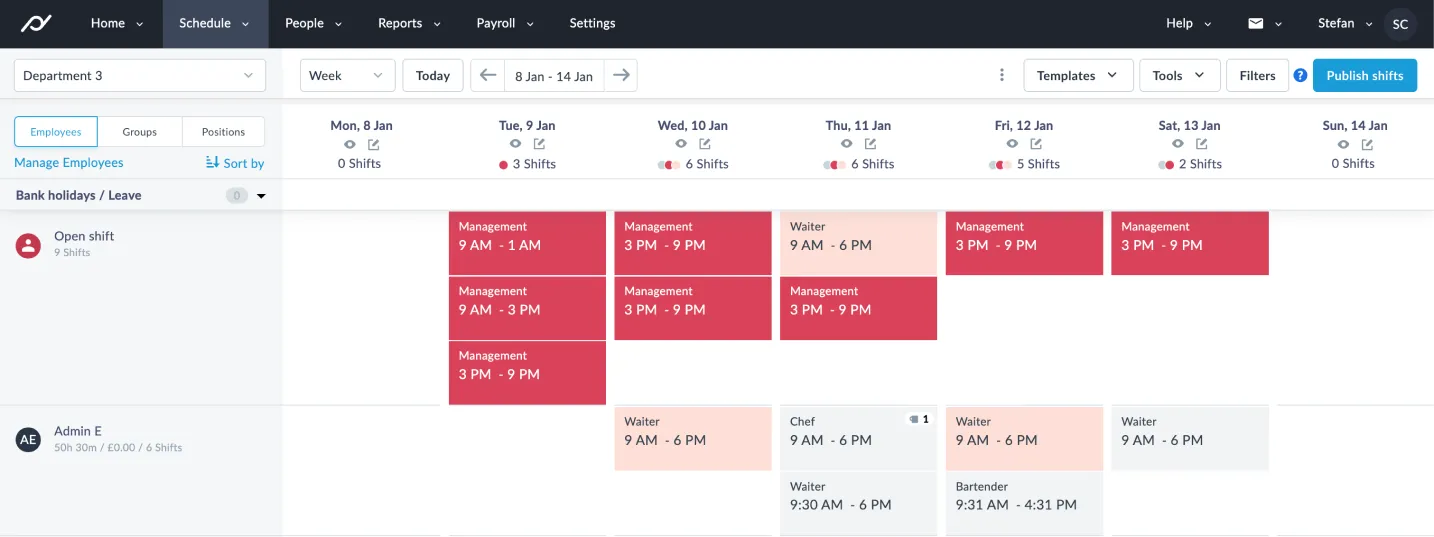
Drafts you can spot
Drafts get a dotted orange border, so nobody has to guess.

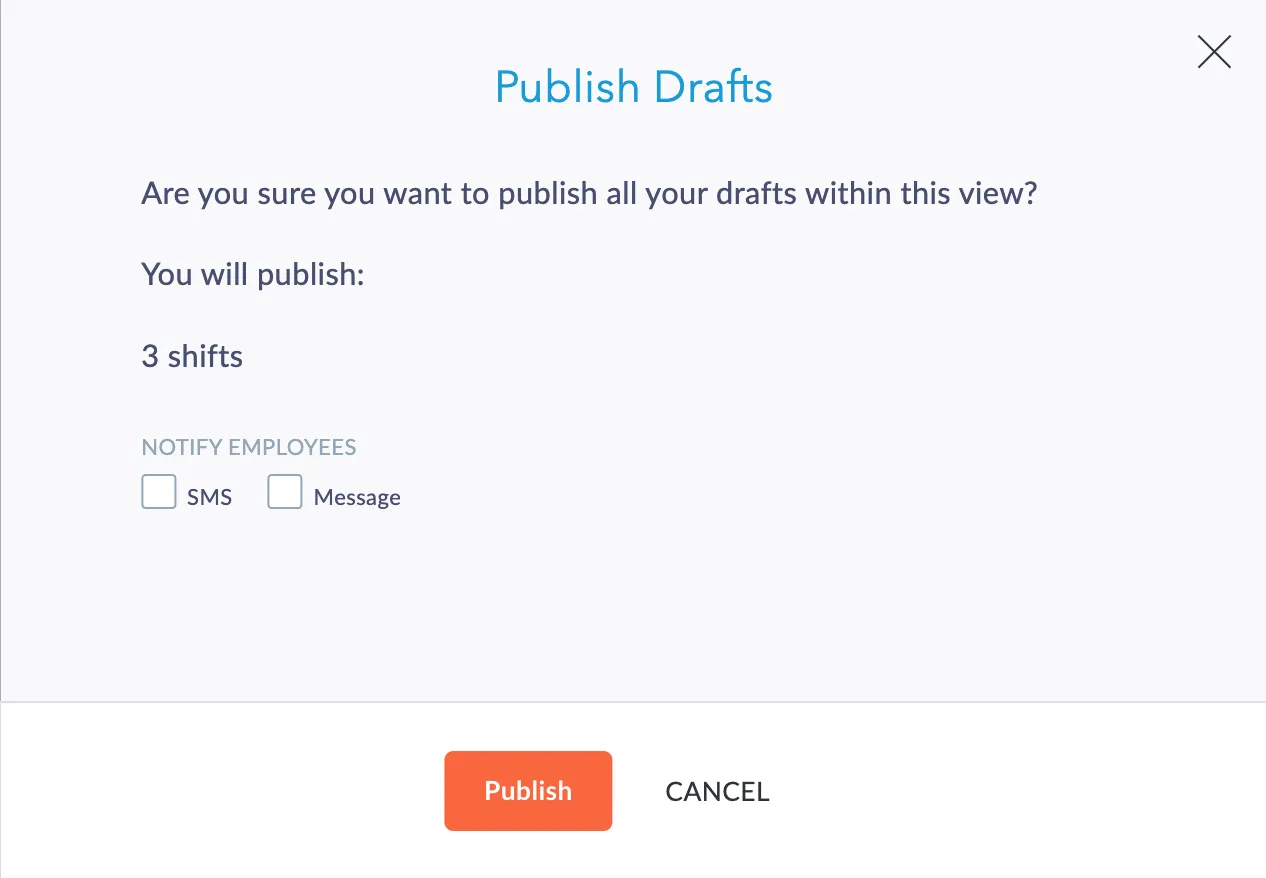
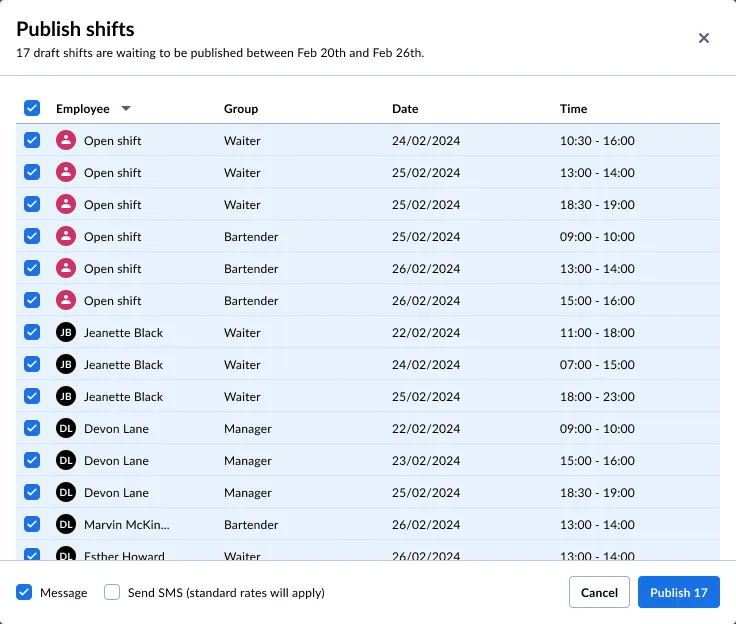
A better Publish flow
Publish a hand-picked set of shifts, and see what you’re publishing.
A smarter Publish button
A counter shows how many shifts are ready to publish, and “All published” when done.
- Mon
- Tue
- Wed
- Thu
Click a shift to turn it into a draft, then publish.
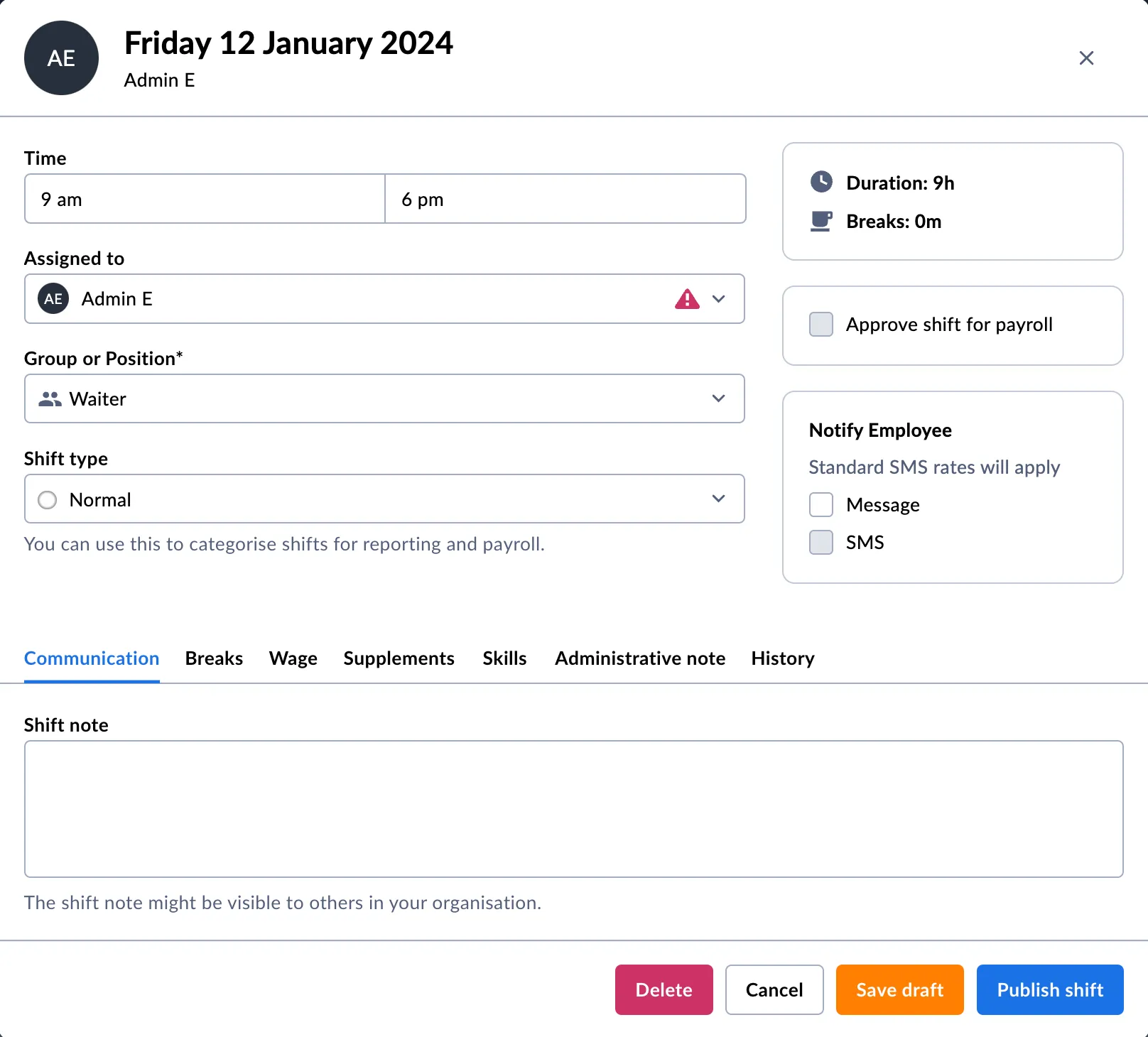
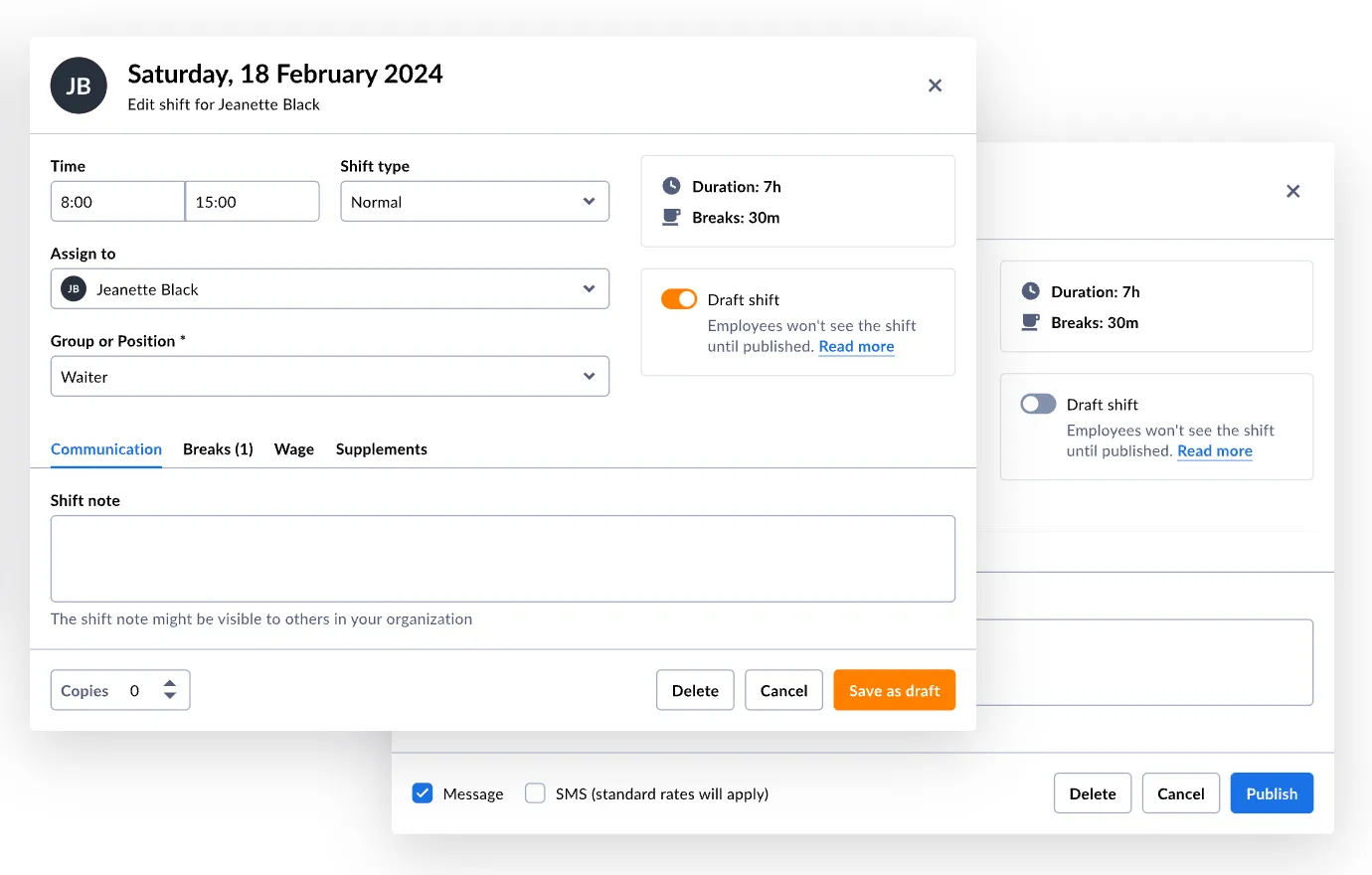
Fewer options in the modal
Fewer options at once (Hick’s law): controls appear when you need them.
Next steps
Out to real customers, then iterate
Next: release to selected customers, watch real usage, and iterate through the planned backlog.
Thanks for reading!


